Open this in the pixkoz appGet the pixkoz app on Google PlayUse the pixkoz app
OpenGetOpen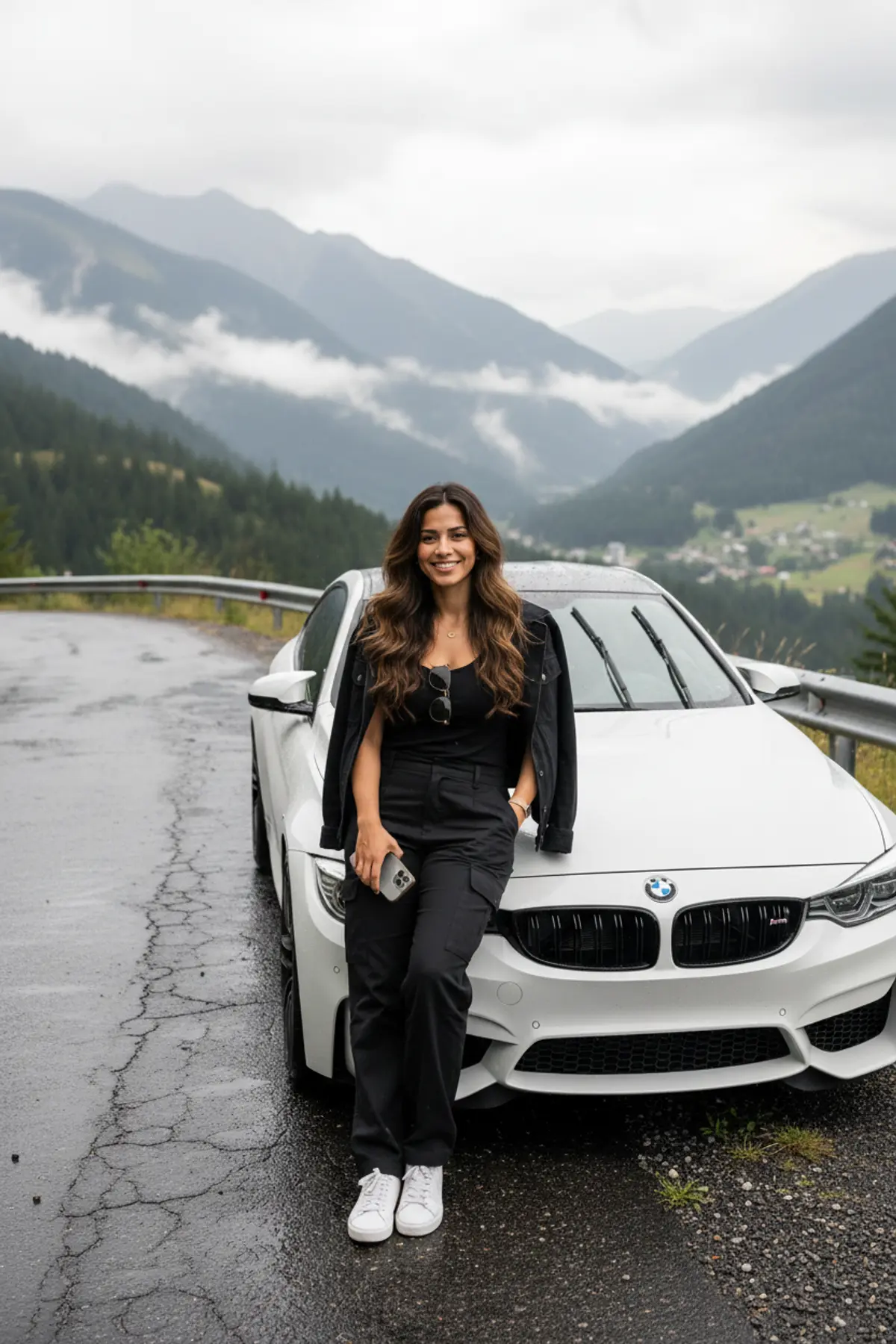

BMW M4 Mountain Road Fashion Portrait
A photorealistic environmental fashion portrait preserving the woman’s recognizable identity while capturing her relaxed street style beside a white BMW M4 on a misty mountain road after rainfall.
Copy this, then paste it with your photo in Gemini or ChatGPT
ChatGPT opens with your prompt filled in. In Gemini, paste it. Add your photo there and send.ChatGPT opens with your prompt filled in. In Gemini, long-press the box, tap Paste. Add your photo.
Prompt
Needs 1 photo
Use the uploaded reference image as the identity and facial-reference image for the woman. Preserve her recognizable facial features, hairstyle, skin tone, age, natural proportions, and overall identity. Create a genuinely photorealistic vertical 9:16 environmental fashion photograph of the same adult Indian woman beside a white BMW M4 on a winding mountain road immediately after rainfall. SUBJECT: A beautiful adult Indian woman in her 20s with long, thick naturally wavy dark hair, authentic facial features, realistic skin texture, subtle natural makeup, and a genuine relaxed smile. Preserve natural facial asymmetry and small real-world imperfections rather than creating an overly perfected AI beauty face. CLOTHING: Modern premium black street-fashion outfit: fitted but tasteful black top, relaxed black cargo trousers, lightweight black jacket casually worn off the shoulders, clean white sneakers, minimal jewelry, and realistic sunglasses hanging naturally from the front of her outfit. POSE: She is casually leaning against the front corner of the BMW M4, with realistic body weight distribution and relaxed hands. She holds a modern correctly proportioned smartphone naturally in one hand. Her pose should look like an actual spontaneous travel photograph rather than a fashion-model pose. CAR: A realistic white BMW M4 with accurate proportions, authentic body panels, headlights, grille, wheels, tires, glass, badges and subtle water droplets. Reflections on the paint and windows must correspond physically to the surrounding sky, road and mountains. LOCATION: A real-looking winding mountain highway after rainfall. Dark charcoal-black wet asphalt with subtle cracks, patches, tire marks, small gravel and realistic puddles. Metal roadside guardrails, road markings, drainage details, roadside vegetation and distant vehicles add believable scale. BACKGROUND: A vast mountain valley with forested slopes, distant villages, layered mountains and low clouds naturally sitting between the ridges. Preserve atmospheric perspective: distant mountains should gradually lose contrast because of real moisture in the air, not because of artificial blur. LIGHT: Soft overcast daylight immediately after rain, with realistic cloud-filtered illumination. No dramatic studio lighting. Wet surfaces should produce subtle physically plausible reflections. CAMERA / PHOTOGRAPHY: A real full-frame DSLR/mirrorless environmental photograph, 35mm lens, eye-level camera, slightly zoomed-out full-body framing. Natural perspective and realistic lens distortion. Moderate depth of field: the woman and BMW are sharp while distant mountains retain recognizable detail. REALISM PRIORITY: The image must look like an ordinary high-end photograph taken by a real photographer, not an AI-generated fashion image. Use natural skin pores, tiny facial imperfections, individual flyaway hairs, realistic fabric wrinkles, stitching, dust and water droplets, imperfect grass shapes, realistic road debris, physically consistent reflections and natural color variation. Avoid excessive HDR, excessive sharpening, plastic skin, perfect symmetry, beauty-filter effects, fake bokeh, overly saturated colors, fantasy mountains, duplicated objects, malformed hands, incorrect phone dimensions, distorted car geometry, artificial reflections, text, watermark or logo.
How to use this prompt
In Gemini
- Tap Copy prompt, or Open in Gemini, which copies it for you.
- In Gemini, add your photo with the + button.
- Paste the prompt into the message box and send.
In ChatGPT
- Tap Open in ChatGPT: it opens with the prompt filled in (it is copied too, in case you need to paste it).
- Attach your photo with the + button.
- Send, and wait for your picture.
Gemini se kaise banaye: photo upload karo, prompt paste karo, send dabao.
Questions people ask
Is this prompt free?
Yes. Copy it and use it in Gemini, ChatGPT or another AI photo app as often as you like. You don't need a pixkoz account to copy it.
Will it work on my photo?
It works best with a clear, front-facing photo in good light, with the face fully visible. AI results vary from one try to the next: if a detail is off, try again.
Gemini or ChatGPT: which is better for this?
Both can use it. The examples on this page were made with Google: Nano Banana (Gemini 2.5 Flash Image), the model behind Gemini's images, so Gemini comes closest to them; ChatGPT gives its own take on the same prompt.
What happens to my photo?
When you use the prompt in Gemini or ChatGPT, your photo goes to that app, not to pixkoz, and that app's own privacy terms apply.