Open this in the pixkoz appGet the pixkoz app on Google PlayUse the pixkoz app
OpenGetOpen
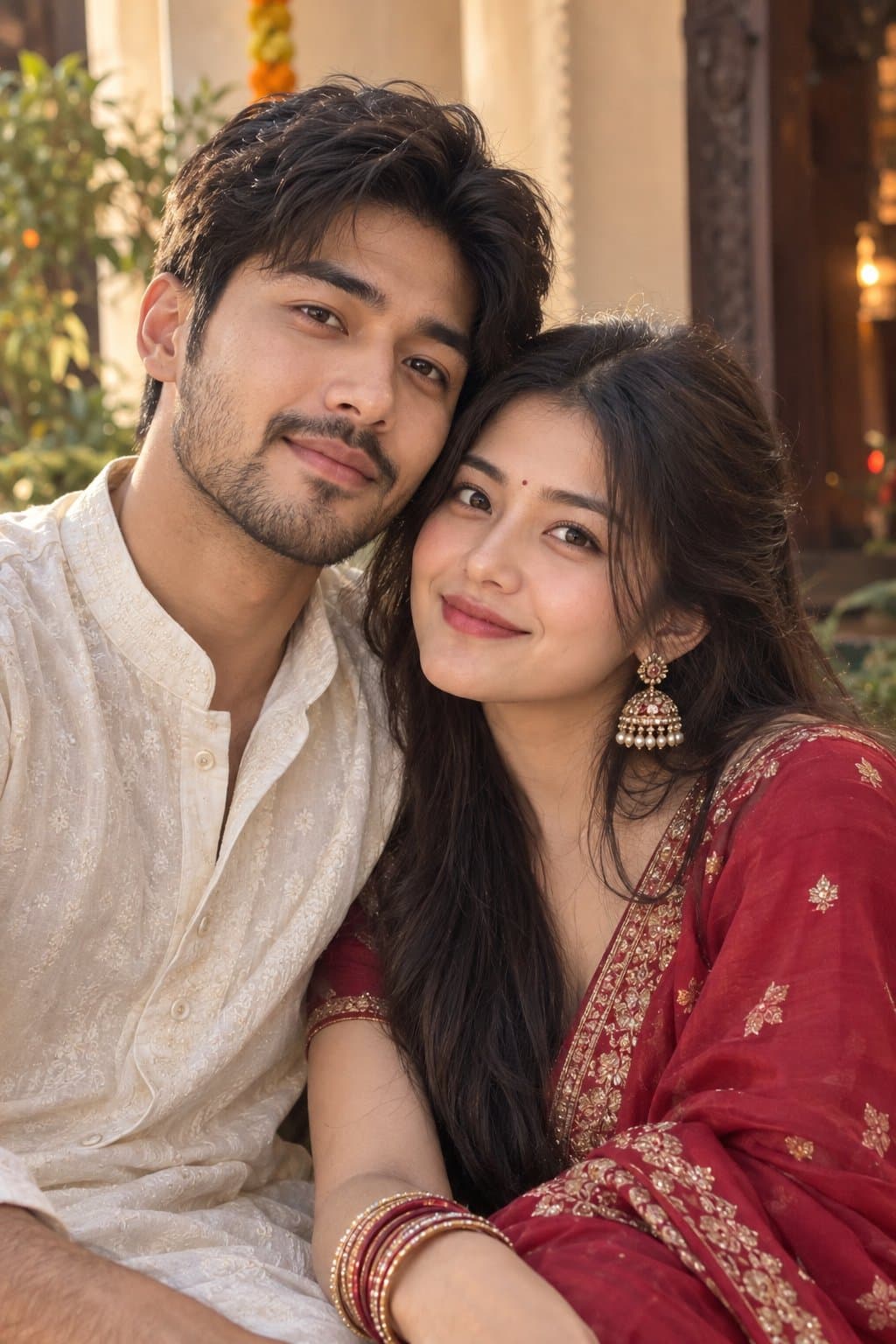
❤️ Dussehra — A Golden Evening Together 🪔
Celebrating love and tradition in elegant Indian ethnic wear, capturing a beautiful Dussehra fair selfie filled with warm lights, festive smiles, and unforgettable moments together. ✨💑
Copy this, then paste it with your photo in Gemini or ChatGPT
ChatGPT opens with your prompt filled in. In Gemini, paste it. Add your photo there and send.ChatGPT opens with your prompt filled in. In Gemini, long-press the box, tap Paste. Add your photo.
Prompt
Needs 1 photo
Use the two uploaded photographs as separate and STRICT identity references. Use the man's photo only for his identity and the woman's photo only for hers. Preserve both faces, facial geometry, skin tones, natural textures, hairstyles, age appearances, and body proportions independently. Outfits: Dress the man in an elegant cream kurta with a deep-green embroidered Nehru jacket and brown traditional footwear. Dress the woman in a beautiful deep-red silk lehenga with a mustard-gold dupatta, delicate gold jewellery, bangles, and a small bindi. Give each person a distinct outfit with realistic fabric and embroidery. Pose: Create a natural couple selfie at a Dussehra fair. The man stands close beside the woman, his arm gently around her shoulder. She holds a small decorative festive thali with flowers and a diya. Both lean slightly toward the phone camera and smile genuinely, as if capturing a real memory together. Background: A festive entrance decorated with marigold garlands, warm fairy lights, traditional rangoli, and a distant Ravan effigy. Include softly blurred families and festival stalls to make the setting feel alive. Photography: Vertical 9:16, natural smartphone selfie perspective, chest-up framing, realistic low-light exposure, sharp recognizable faces, natural skin pores, warm light reflections, authentic Indian festival atmosphere. Do not merge the identities or change either face. No artificial beautification, skin-tone changes, face swapping, awkward hands, extra fingers, duplicated subjects, text, or watermark.
How to use this prompt
In Gemini
- Tap Copy prompt, or Open in Gemini, which copies it for you.
- In Gemini, add your photo with the + button.
- Paste the prompt into the message box and send.
In ChatGPT
- Tap Open in ChatGPT: it opens with the prompt filled in (it is copied too, in case you need to paste it).
- Attach your photo with the + button.
- Send, and wait for your picture.
Gemini se kaise banaye: photo upload karo, prompt paste karo, send dabao.
Questions people ask
Is this prompt free?
Yes. Copy it and use it in Gemini, ChatGPT or another AI photo app as often as you like. You don't need a pixkoz account to copy it.
Will it work on my photo?
It works best with a clear, front-facing photo in good light, with the face fully visible. AI results vary from one try to the next: if a detail is off, try again.
Gemini or ChatGPT: which is better for this?
Both can use it. The examples on this page were made with Google: Nano Banana (Gemini 2.5 Flash Image), the model behind Gemini's images, so Gemini comes closest to them; ChatGPT gives its own take on the same prompt.
What happens to my photo?
When you use the prompt in Gemini or ChatGPT, your photo goes to that app, not to pixkoz, and that app's own privacy terms apply.