Open this in the pixkoz appGet the pixkoz app on Google PlayUse the pixkoz app
OpenGetOpen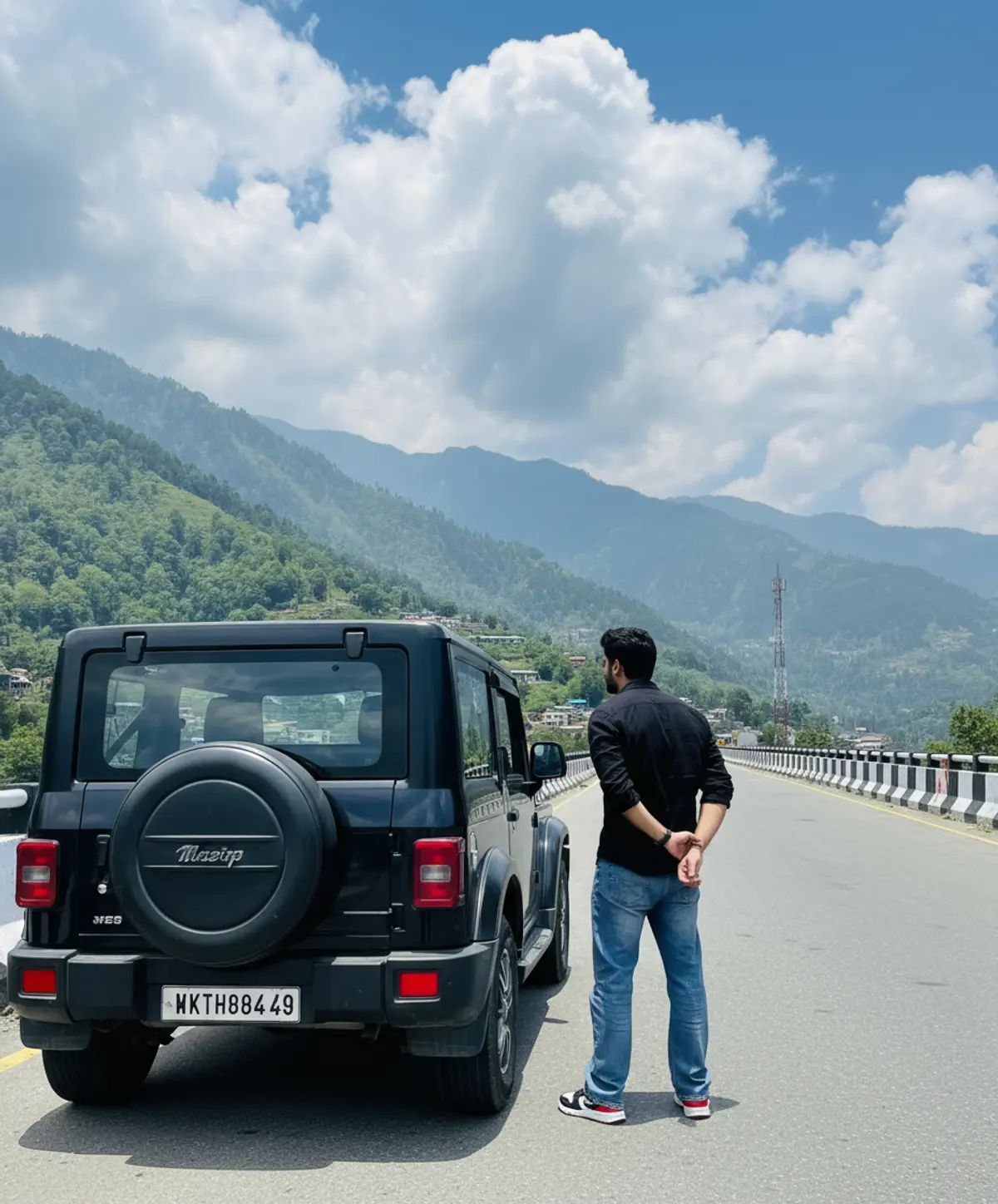
Mountain Highway Thar Adventure
A hyper-realistic travel portrait of the same person standing beside a black Mahindra Thar against dramatic Himalayan mountains, a scenic highway, and a breathtaking blue sky.
Copy this, then paste it with your photo in Gemini or ChatGPT
ChatGPT opens with your prompt filled in. In Gemini, paste it. Add your photo there and send.ChatGPT opens with your prompt filled in. In Gemini, long-press the box, tap Paste. Add your photo.
Prompt
Needs 1 photo
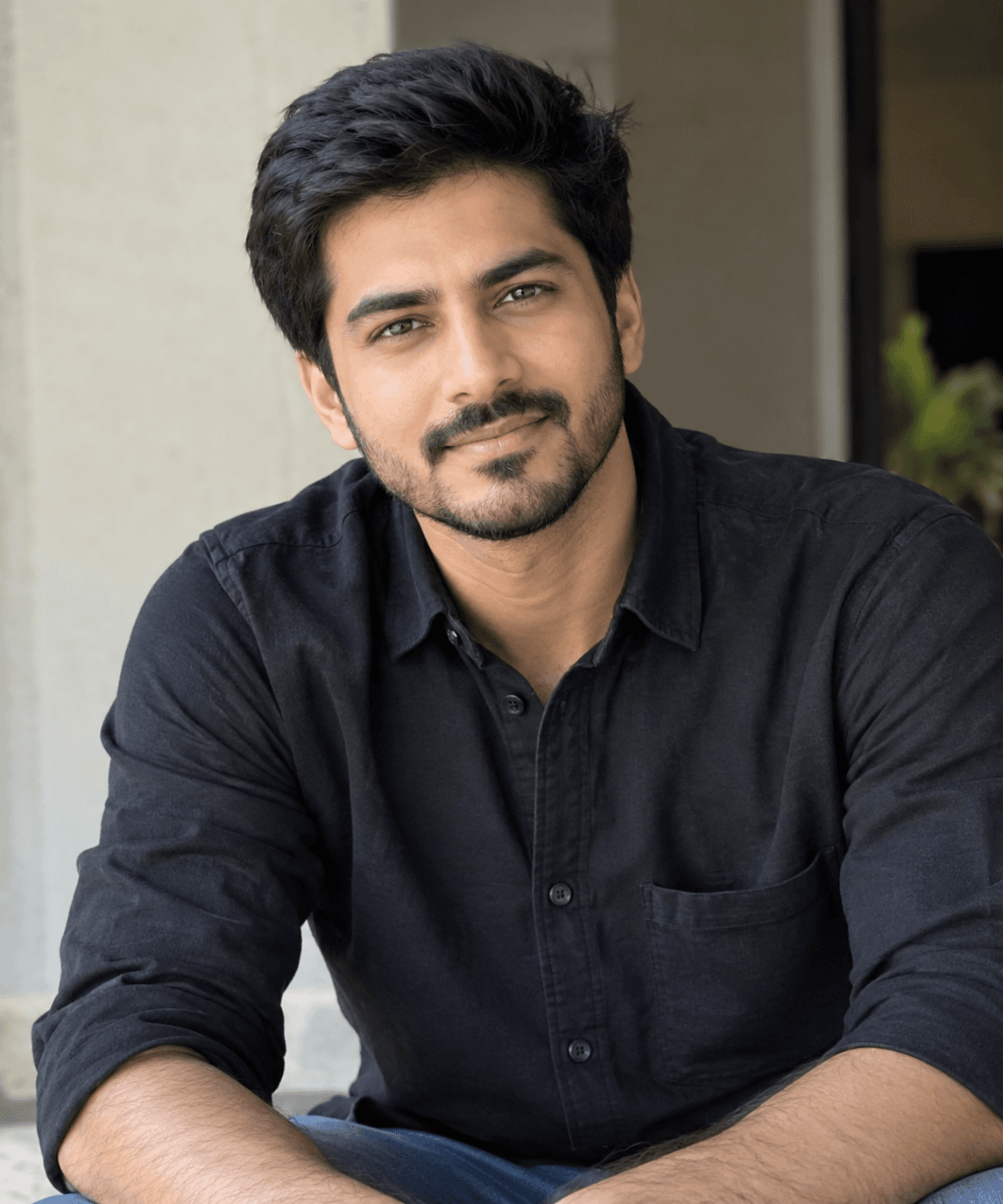
Use my uploaded personal photo as the ONLY identity reference for the person. Use the provided reference image as the ONLY visual reference for the car, location, outfit, pose, camera angle, framing, lighting, road, mountains, sky and overall composition. Create an ultra-realistic natural full-body photograph of the SAME person standing beside the EXACT SAME black Mahindra Thar/Jeep shown in the reference image. STRICT IDENTITY: Preserve my real face and identity exactly.Keep my natural facial structure, jawline, nose, eyes, eyebrows, lips, hairstyle/hairline, beard/moustache pattern, skin tone and natural proportions unchanged. No face swap, no beautification, no skin smoothing, no facial reshaping, no artificial features. CAR: Recreate the exact same black Thar/Jeep from the reference — same body shape, black paint, rear-mounted spare wheel, alloy wheel design, rear lights, windows, proportions and all visible details.Do not replace, redesign, recolor or modify the vehicle. OUTFIT: Match the reference exactly — black/dark full-sleeve shirt/jacket, light blue heavily washed wide-leg/flared jeans and black-red-white sneakers. Keep the same fit, colors, folds and styling. POSE: Recreate the exact same pose — person standing beside the rear-left side of the vehicle, body turned away from the camera toward the mountains/road, one hand positioned behind the lower back/pocket area, natural relaxed posture.LOCATION & BACKGROUND: Recreate the same wide mountain highway/bridge scene with the black-and-white striped roadside barrier, green Himalayan mountains, valley buildings, transmission tower and distant mountain layers. Preserve the dramatic blue sky with large fluffy white clouds exactly like the reference. COMPOSITION: Vertical 4:5 Instagram-style photograph.Keep the vehicle large and clearly visible on the left side, person beside it with full body visible from head to shoes, and the road extending toward the mountains on the right. Maintain the same camera height, perspective, distance, framing and subject-to-car proportions. REALISM: Natural daylight, realistic shadows, accurate reflections, authentic road texture, realistic clothing fabric and natural skin texture.Make it look like a genuine high-quality travel photograph taken on a smartphone/modern camera, not AI-generated. IMPORTANT: Do not enlarge the person, do not change the car, do not change the outfit, do not change the mountains, do not add/remove objects, do not alter the road markings or barrier pattern, and do not add any text, watermark or logo. Match the reference composition as closely as possible. Voluminous messy hairstyle and a sharp side fade (matching reference. no CGI look, no face distortion. 8k resolution, hyper-realistic. ratio 4:5 .sharp focus --v 6 --style raw, use 100000% same to same face in reference image. my hight is 5.3 . use reference image for face strict face lock no face morphing preserve identity 100% vertical 9:16, same face in refrence images
Part of: Travel AI photo prompts
How to use this prompt
In Gemini
- Tap Copy prompt, or Open in Gemini, which copies it for you.
- In Gemini, add your photo with the + button.
- Paste the prompt into the message box and send.
In ChatGPT
- Tap Open in ChatGPT: it opens with the prompt filled in (it is copied too, in case you need to paste it).
- Attach your photo with the + button.
- Send, and wait for your picture.
Gemini se kaise banaye: photo upload karo, prompt paste karo, send dabao.
Questions people ask
Is this prompt free?
Yes. Copy it and use it in Gemini, ChatGPT or another AI photo app as often as you like. You don't need a pixkoz account to copy it.
Will it work on my photo?
It works best with a clear, front-facing photo in good light, with the face fully visible. AI results vary from one try to the next: if a detail is off, try again.
Gemini or ChatGPT: which is better for this?
Both can use it. The examples on this page were made with Google: Nano Banana (Gemini 2.5 Flash Image), the model behind Gemini's images, so Gemini comes closest to them; ChatGPT gives its own take on the same prompt.
What happens to my photo?
When you use the prompt in Gemini or ChatGPT, your photo goes to that app, not to pixkoz, and that app's own privacy terms apply.