Open this in the pixkoz appGet the pixkoz app on Google PlayUse the pixkoz app
OpenGetOpen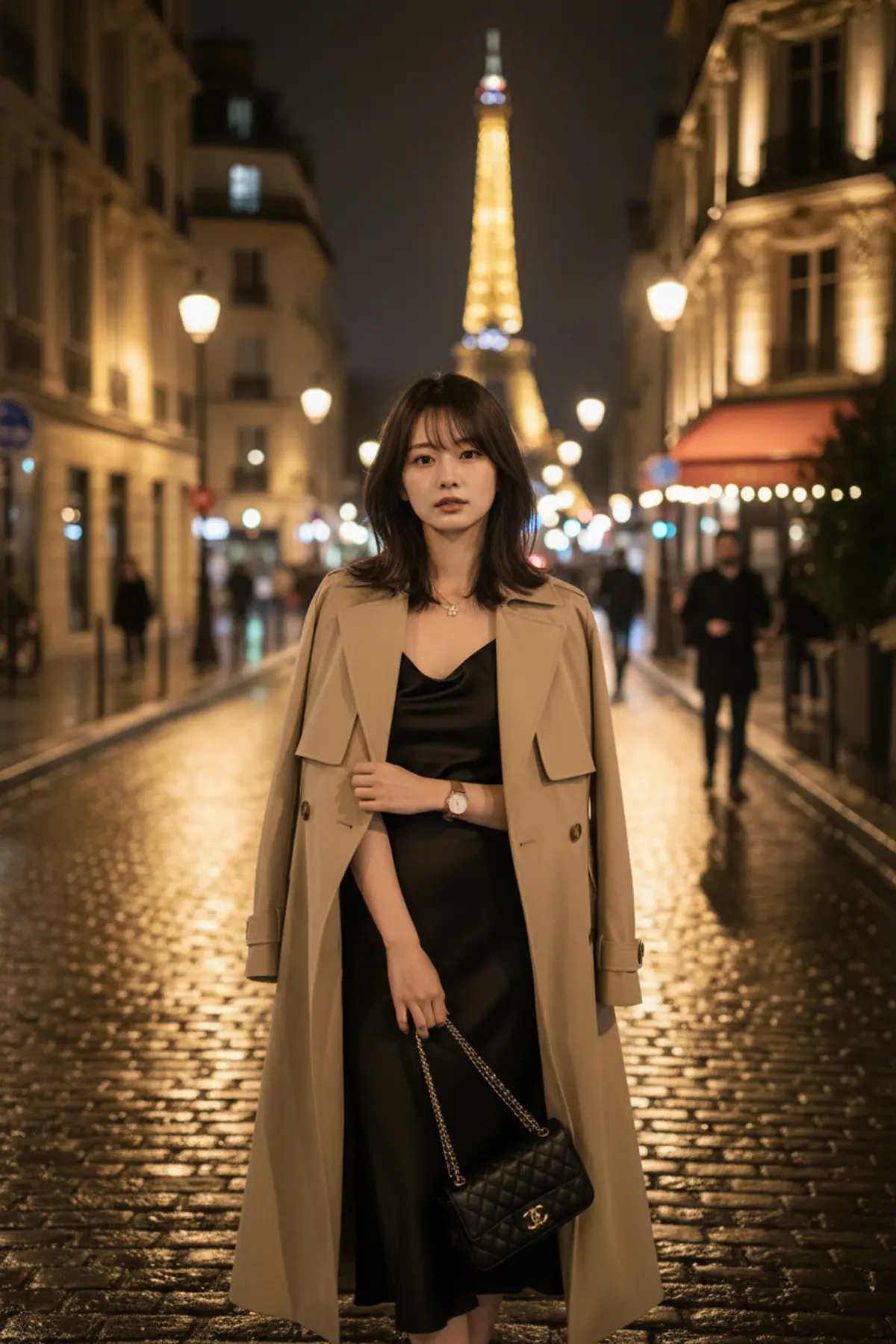
Paris After Rain — Luxury Night Fashion Editorial
A sophisticated cinematic fashion portrait preserving the woman’s exact identity while capturing Parisian elegance, wet cobblestone reflections, warm café lights, a distant Eiffel Tower, and timeless luxury after dark.
Copy this, then paste it with your photo in Gemini or ChatGPT
ChatGPT opens with your prompt filled in. In Gemini, paste it. Add your photo there and send.ChatGPT opens with your prompt filled in. In Gemini, long-press the box, tap Paste. Add your photo.
Prompt
Needs 1 photo
Create an ultra-photorealistic luxury fashion editorial photograph of the same adult woman from the provided reference image. Preserve her facial identity, facial structure, skin tone, hairstyle, body proportions, age and overall appearance with maximum consistency. She is standing on a beautiful Parisian street at night after light rain, wearing an elegant black satin midi dress with a sophisticated long beige trench coat and minimal luxury accessories. Natural long dark wavy hair, realistic skin texture and subtle natural makeup. The wet cobblestone street reflects warm golden café lights and elegant Paris architecture. A softly illuminated Eiffel Tower is visible in the distant background, slightly out of focus. A few subtle pedestrians in the far background, but the subject remains the clear focus. Natural confident expression, relaxed posture, one hand holding the trench coat lightly, the other carrying a small elegant handbag. Cinematic night photography, realistic street reflections, soft atmospheric haze, natural hair movement, physically accurate fabric folds, realistic shadows, authentic skin pores, full-frame professional camera, 85mm lens, shallow depth of field, premium fashion magazine aesthetic. Ultra-realistic photography, HDR, cinematic contrast, natural colors, realistic lighting, sophisticated luxury atmosphere. No cartoon, no CGI look, no plastic skin, no distorted hands, no extra fingers, no duplicate person, no artificial face, no watermark, no text, no logo.
How to use this prompt
In Gemini
- Tap Copy prompt, or Open in Gemini, which copies it for you.
- In Gemini, add your photo with the + button.
- Paste the prompt into the message box and send.
In ChatGPT
- Tap Open in ChatGPT: it opens with the prompt filled in (it is copied too, in case you need to paste it).
- Attach your photo with the + button.
- Send, and wait for your picture.
Gemini se kaise banaye: photo upload karo, prompt paste karo, send dabao.
Questions people ask
Is this prompt free?
Yes. Copy it and use it in Gemini, ChatGPT or another AI photo app as often as you like. You don't need a pixkoz account to copy it.
Will it work on my photo?
It works best with a clear, front-facing photo in good light, with the face fully visible. AI results vary from one try to the next: if a detail is off, try again.
Gemini or ChatGPT: which is better for this?
Both can use it. The examples on this page were made with Google: Nano Banana (Gemini 2.5 Flash Image), the model behind Gemini's images, so Gemini comes closest to them; ChatGPT gives its own take on the same prompt.
What happens to my photo?
When you use the prompt in Gemini or ChatGPT, your photo goes to that app, not to pixkoz, and that app's own privacy terms apply.





