Open this in the pixkoz appGet the pixkoz app on Google PlayUse the pixkoz app
OpenGetOpen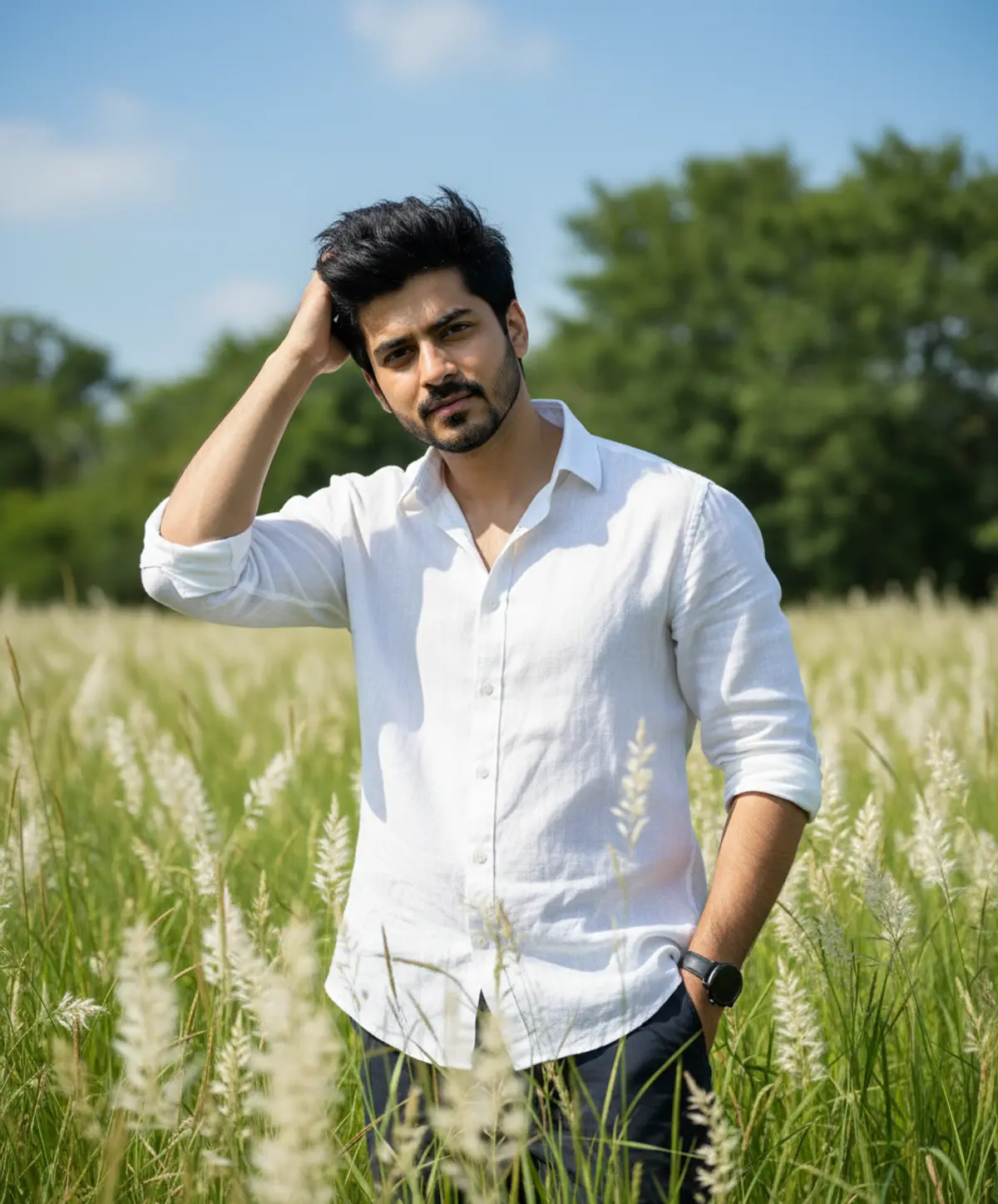
White Linen in the Wild
A natural cinematic fashion portrait of the same man standing effortlessly among tall green grasses and delicate white wildflowers, combining relaxed linen styling with bright summer light and authentic outdoor beauty.
Copy this, then paste it with your photo in Gemini or ChatGPT
ChatGPT opens with your prompt filled in. In Gemini, paste it. Add your photo there and send.ChatGPT opens with your prompt filled in. In Gemini, long-press the box, tap Paste. Add your photo.
Prompt
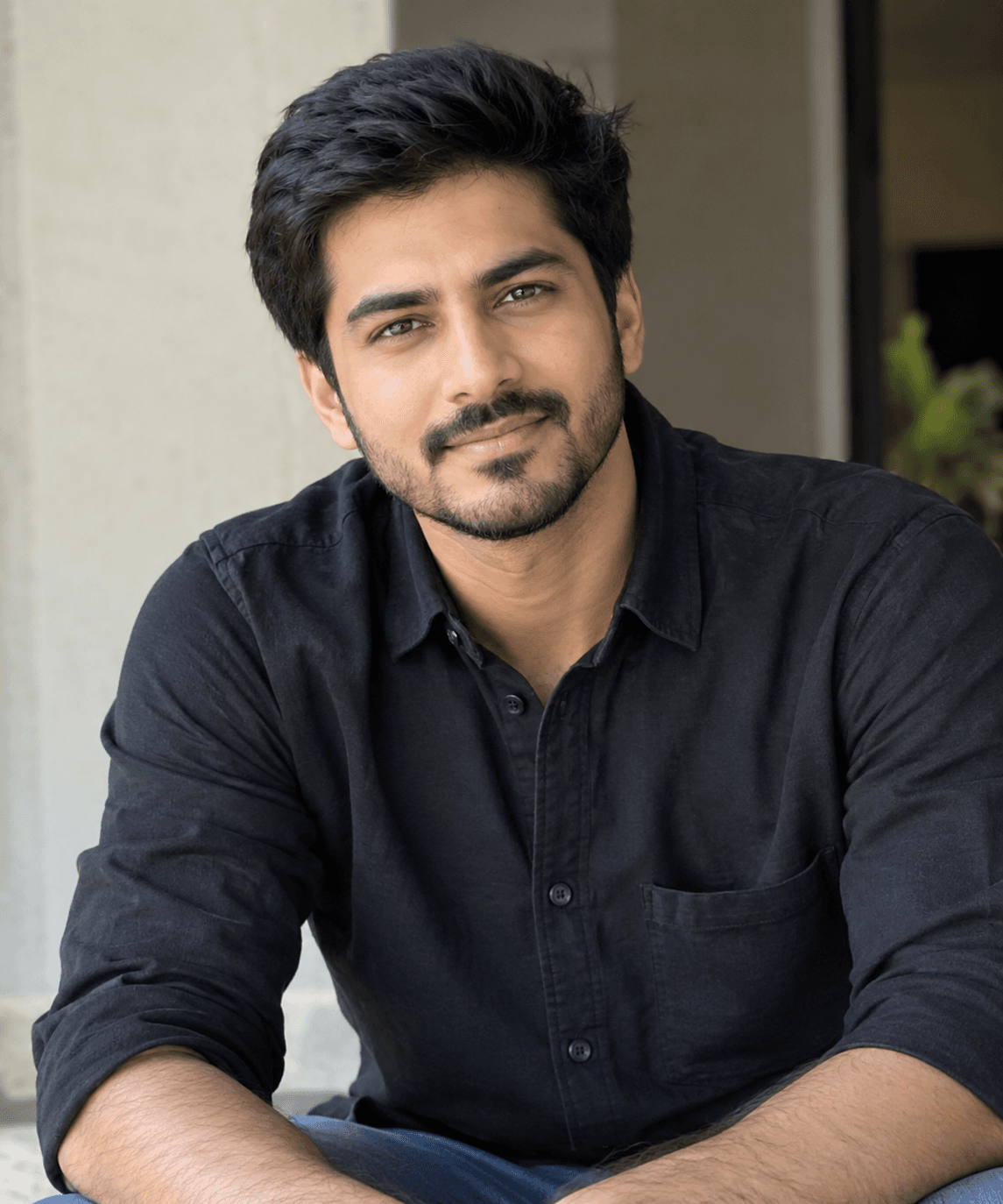
Needs 1 photo
Use my uploaded photo as the PRIMARY and ONLY identity reference for the man. The uploaded photo determines exactly WHO the man is. Preserve his identity with maximum possible fidelity. Do not alter, regenerate, redesign, beautify, reinterpret, or replace any part of his face. FACE & IDENTITY — ABSOLUTE PRIORITY Preserve the man's exact recognizable facial characteristics from the uploaded photo, including: exact face shape and facial proportions forehead and hairline eyebrow shape, thickness and natural position exact eye shape, size, spacing and eyelids nose shape, bridge, tip and nostrils lips, mouth shape and natural proportions cheeks and cheekbones jawline and chin ears and their natural shape exact skin tone and undertones natural skin texture, pores and subtle imperfections facial hair pattern, beard and moustache if present natural facial asymmetry distinctive marks and other recognizable characteristics natural apparent age and ethnic appearance Do not make him more handsome, younger, older, slimmer, sharper, smoother or more symmetrical. Do not apply beauty filters, facial enhancement, skin whitening, artificial skin smoothing or cosmetic retouching. Do not create a generic Indian male face. Do not blend the uploaded face with an AI-generated face. Do not change his identity because of the hairstyle, clothing, lighting or camera angle. USER PHOTO = WHO THE PERSON IS. The uploaded photograph controls identity and facial appearance. The prompt controls the clothing, pose, environment, lighting, camera composition and photography style. Create an ultra-realistic professional outdoor fashion photograph of the exact same man from the uploaded photo, naturally placed in a tall green grass field filled with soft white feathery wildflowers. Keep his natural body proportions and recognizable overall appearance consistent with the uploaded reference. He has thick, naturally voluminous messy black hair, while keeping the recognizable hairline and overall characteristics from the uploaded photo. If facial hair is visible in the reference, preserve its natural pattern and appearance rather than redesigning it. Dress him in a loose premium white linen button-up shirt, with sleeves casually rolled to the elbows and the collar naturally slightly open. Pair it with dark trousers and a simple black wristwatch. His left hand rests naturally inside his trouser pocket, while his right hand gently moves through his hair, creating a relaxed, effortless fashion pose. Keep both hands anatomically correct with realistic fingers, joints and natural positioning. He wears stylish dark round sunglasses only if they can be added without compromising the recognizable structure of his face. Expression Give him a calm, confident and naturally relaxed expression appropriate for an outdoor fashion photograph. Do not copy or force an expression that changes his facial structure. Preserve the underlying identity of the uploaded face while naturally adapting the expression to the new scene. Environment Place him in a beautiful tall green grass field filled with delicate white feathery wildflowers and flowering plumes. Behind him, include lush green trees and a clear bright blue sky with a few soft natural clouds. Add naturally blurred grass stems and white flowers in the foreground to create authentic environmental depth. The entire location should look like a genuine outdoor photograph rather than a digitally generated background. Lighting Use bright, soft natural daytime sunlight illuminating his face, hair and white linen shirt. Maintain realistic skin tones from the uploaded photo. Use physically accurate highlights and shadows with natural sunlight direction, subtle atmospheric depth and realistic exposure. Avoid orange skin, excessive golden grading or artificial studio lighting. Photography Create the image as a professional DSLR outdoor fashion photograph, approximately: Canon EOS R5, 35mm lens, vertical 3:4 composition. Use realistic optical rendering, natural perspective and authentic photographic depth. Keep the man sharply detailed while preserving a believable deep environmental depth of field. The surrounding grass, flowers, trees and sky should remain detailed and photographic rather than becoming an artificial painted background. Photorealism Prioritize: authentic facial skin texture realistic pores subtle natural imperfections individual hair strands realistic beard/moustache texture if present natural eyelashes and eyebrows realistic linen fabric weave authentic shirt wrinkles and folds realistic denim/trouser texture accurate hands and fingers natural grass and flower textures realistic sunlight physically accurate shadows natural lens rendering subtle photographic grain realistic exposure and white balance restrained natural color grading Final Identity Rule The uploaded photo is the absolute authority for the man's identity. Do not change or destroy any recognizable facial feature. Identity fidelity > facial structure > natural skin realism > anatomy/hands > clothing > pose > environment > lighting > cinematic styling. The final result should look like the exact same man from the uploaded photograph was genuinely photographed in this beautiful white-wildflower field, not like a different AI-generated person wearing the same clothes.
How to use this prompt
In Gemini
- Tap Copy prompt, or Open in Gemini, which copies it for you.
- In Gemini, add your photo with the + button.
- Paste the prompt into the message box and send.
In ChatGPT
- Tap Open in ChatGPT: it opens with the prompt filled in (it is copied too, in case you need to paste it).
- Attach your photo with the + button.
- Send, and wait for your picture.
Gemini se kaise banaye: photo upload karo, prompt paste karo, send dabao.
Questions people ask
Is this prompt free?
Yes. Copy it and use it in Gemini, ChatGPT or another AI photo app as often as you like. You don't need a pixkoz account to copy it.
Will it work on my photo?
It works best with a clear, front-facing photo in good light, with the face fully visible. AI results vary from one try to the next: if a detail is off, try again.
Gemini or ChatGPT: which is better for this?
Both can use it. The examples on this page were made with Google: Nano Banana (Gemini 2.5 Flash Image), the model behind Gemini's images, so Gemini comes closest to them; ChatGPT gives its own take on the same prompt.
What happens to my photo?
When you use the prompt in Gemini or ChatGPT, your photo goes to that app, not to pixkoz, and that app's own privacy terms apply.