Open this in the pixkoz appGet the pixkoz app on Google PlayUse the pixkoz app
OpenGetOpen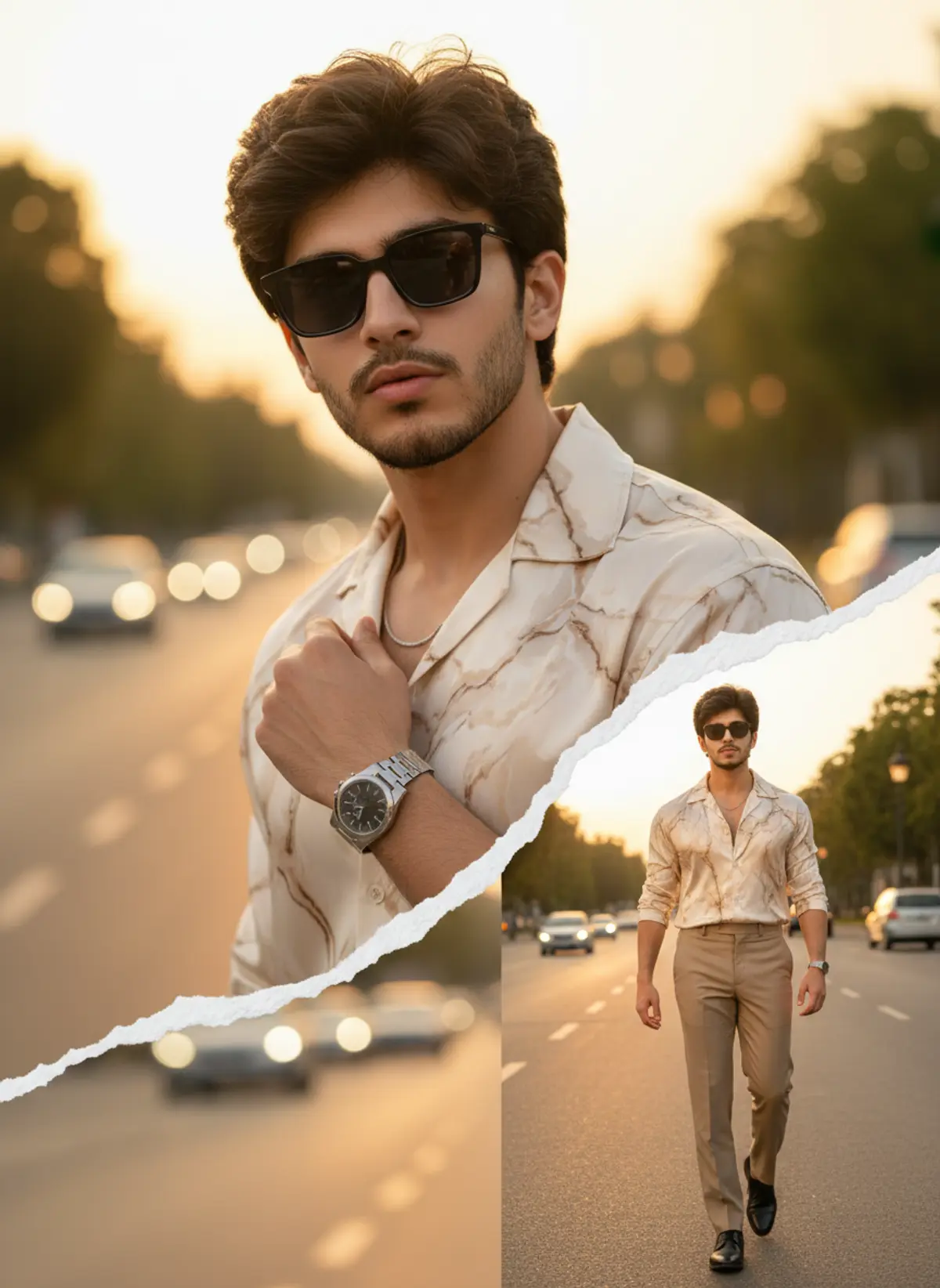
Golden Hour Luxury Double-Exposure
A cinematic luxury menswear collage featuring the same recognizable identity in a sophisticated beige ensemble, combining a dramatic close-up portrait and confident full-body fashion scene against a glowing city boulevard.
Copy this, then paste it with your photo in Gemini or ChatGPT
ChatGPT opens with your prompt filled in. In Gemini, paste it. Add your photo there and send.ChatGPT opens with your prompt filled in. In Gemini, long-press the box, tap Paste. Add your photo.
Prompt
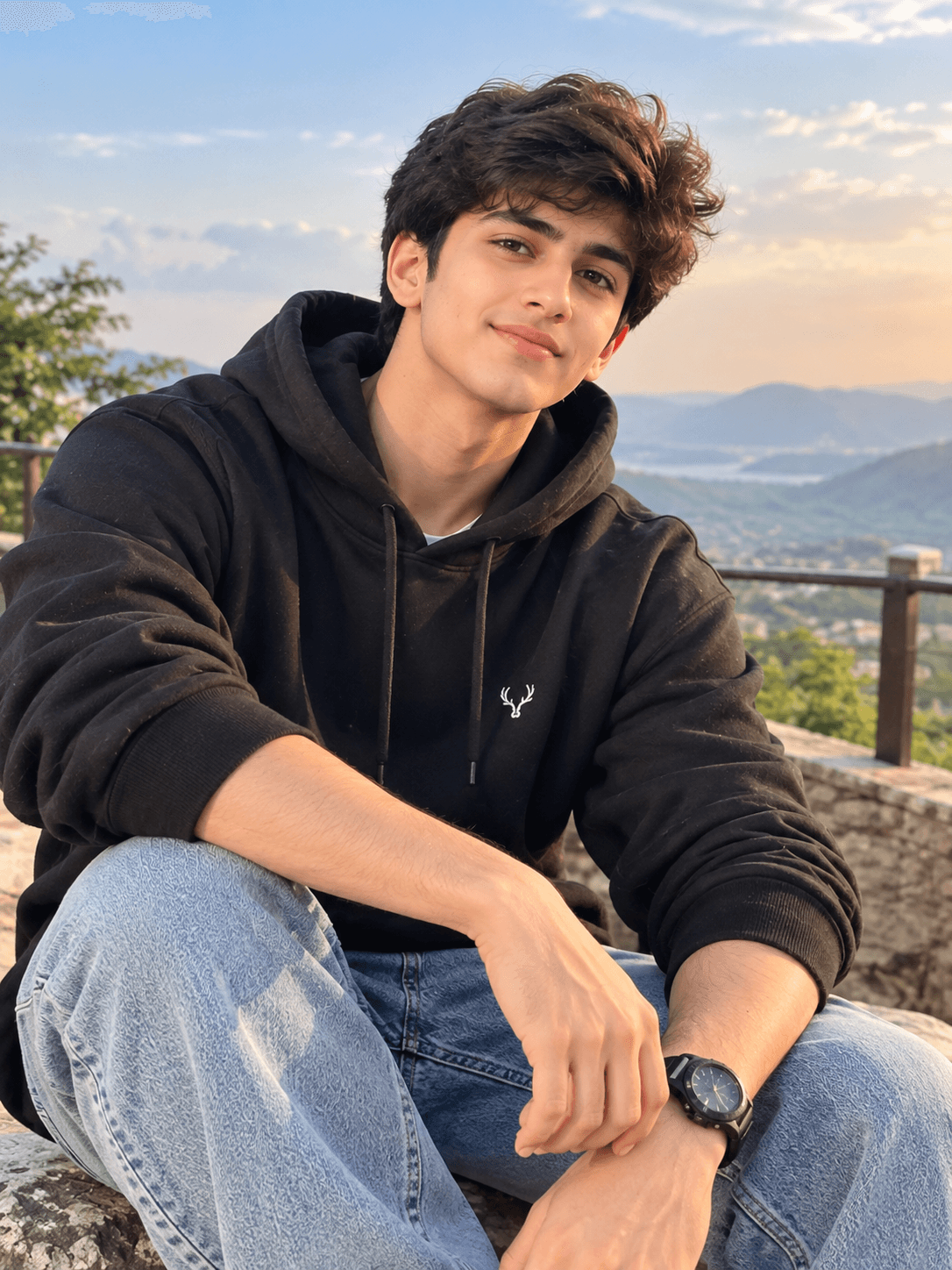
Needs 1 photo
Create an ultra-photorealistic, high-end cinematic luxury fashion portrait in vertical 9:16, closely recreating the uploaded reference image’s overall composition, torn-paper collage design, pose, outfit, lighting, background, framing, and editorial aesthetic. 👤 MALE — FACE & IDENTITY LOCK — ABSOLUTE PRIORITY Use my uploaded personal photo as the ONLY and STRICT identity reference for the male face. MY FACE MUST REMAIN EXACTLY THE SAME AND CLEARLY RECOGNIZABLE AS ME. Preserve my exact: face shape and proportions forehead and hairline eyebrows and eye shape eyelids and eye spacing nose shape and proportions lips and mouth shape cheeks, jawline and chin ears beard and mustache pattern natural skin tone and realistic skin texture distinctive facial features and natural asymmetry Do NOT copy the reference model’s face. Do NOT create a generic AI face. Do NOT blend or morph my face with the reference model. Do NOT beautify, reshape, slim, widen, whiten, age, or de-age my face. 👕 OUTFIT Recreate the same sophisticated luxury outfit: cream/beige marble-patterned open-collar shirt sleeves naturally rolled slightly matching tailored beige trousers black leather dress shoes elegant metal wristwatch subtle silver chain/necklace premium fitted menswear realistic fabric texture and natural folds 🕶️ SUNGLASSES Add premium modern black rectangular sunglasses, stylish luxury-fashion appearance, realistic dark lenses and natural reflections. The sunglasses must fit my face naturally without changing my facial structure. 🎨 COLLAGE COMPOSITION Create the same torn-paper double-exposure fashion collage: 1. LARGE BACKGROUND PORTRAIT large upper-body version of me occupying most of the upper/middle frame same confident pose and hand position near the shirt/chain sunglasses on warm cinematic expression realistic shallow depth of field 2. SMALL FULL-BODY PORTRAIT a smaller full-body version of the SAME PERSON / SAME FACE walking confidently toward the camera one hand naturally positioned near the shirt/watch matching beige outfit and black shoes realistic body proportions placed in the lower-right portion of the composition 🧻 TORN PAPER EFFECT Keep the dramatic white ripped/torn-paper transition diagonally across the image, separating the large portrait from the smaller full-body scene. The torn paper must look physically realistic, with irregular ripped edges, subtle paper texture, natural shadows, and convincing depth. 🌅 BACKGROUND & LIGHTING Recreate the warm outdoor road environment: elegant city boulevard blurred trees and distant vehicles golden-hour sunlight warm sunset glow soft cinematic backlighting beautiful bokeh realistic atmospheric haze long natural shadows premium DSLR photography shallow depth of field high dynamic range realistic skin and fabric details 📸 QUALITY Ultra-photorealistic, cinematic, luxury menswear editorial, premium DSLR, 85mm portrait photography, natural skin pores, realistic hair strands, physically accurate lighting, realistic shadows, sharp facial details, high dynamic range, professional color grading, extremely detailed, 8K-quality appearance.
How to use this prompt
In Gemini
- Tap Copy prompt, or Open in Gemini, which copies it for you.
- In Gemini, add your photo with the + button.
- Paste the prompt into the message box and send.
In ChatGPT
- Tap Open in ChatGPT: it opens with the prompt filled in (it is copied too, in case you need to paste it).
- Attach your photo with the + button.
- Send, and wait for your picture.
Gemini se kaise banaye: photo upload karo, prompt paste karo, send dabao.
Questions people ask
Is this prompt free?
Yes. Copy it and use it in Gemini, ChatGPT or another AI photo app as often as you like. You don't need a pixkoz account to copy it.
Will it work on my photo?
It works best with a clear, front-facing photo in good light, with the face fully visible. AI results vary from one try to the next: if a detail is off, try again.
Gemini or ChatGPT: which is better for this?
Both can use it. The examples on this page were made with Google: Nano Banana (Gemini 2.5 Flash Image), the model behind Gemini's images, so Gemini comes closest to them; ChatGPT gives its own take on the same prompt.
What happens to my photo?
When you use the prompt in Gemini or ChatGPT, your photo goes to that app, not to pixkoz, and that app's own privacy terms apply.