Open this in the pixkoz appGet the pixkoz app on Google PlayUse the pixkoz app
OpenGetOpen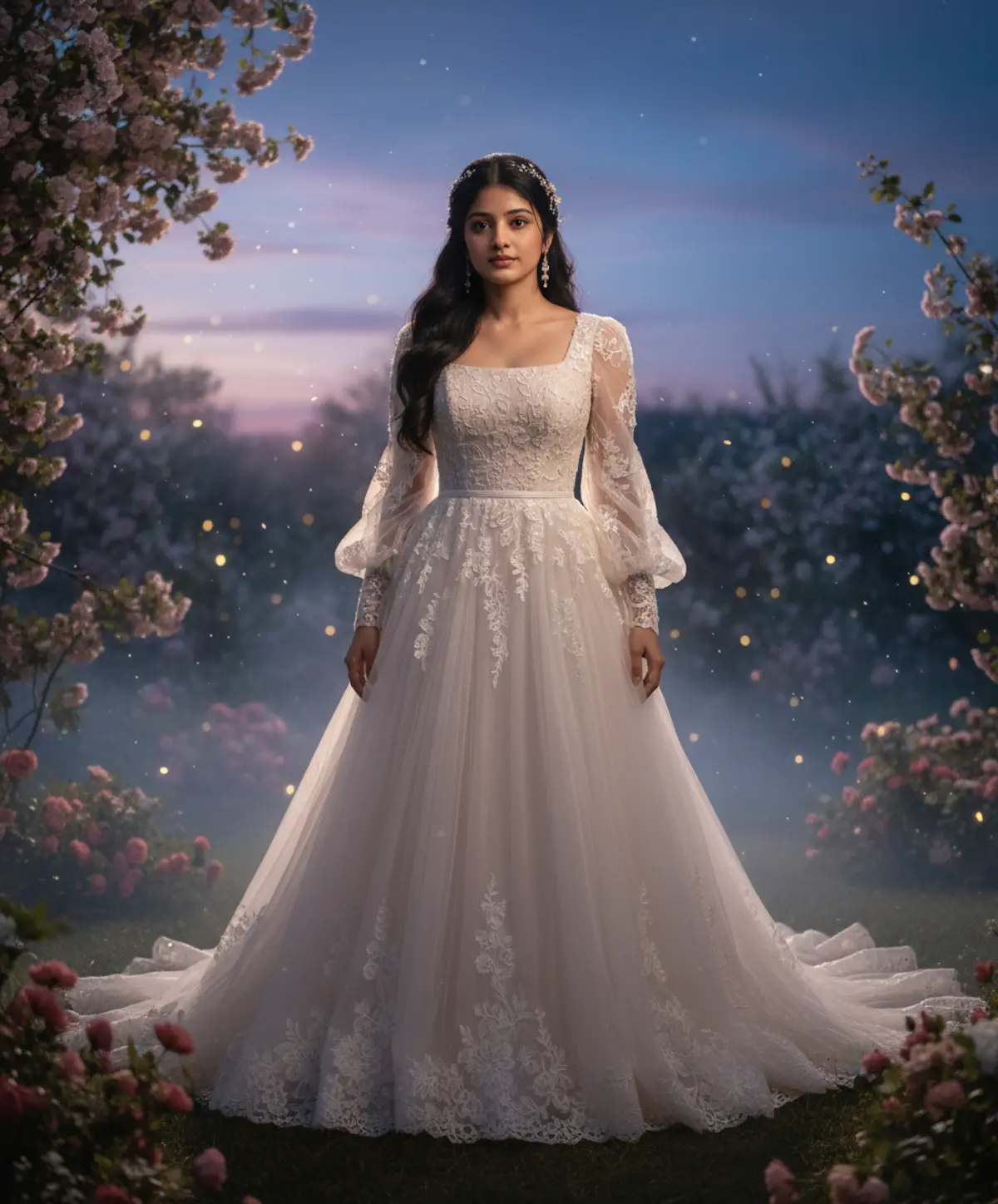

Twilight Bride
An ethereal bride in a flowing lace-trimmed ivory gown, surrounded by flowers, mist and glowing twilight light in a magical garden.
Copy this, then paste it with your photo in Gemini or ChatGPT
ChatGPT opens with your prompt filled in. In Gemini, paste it. Add your photo there and send.ChatGPT opens with your prompt filled in. In Gemini, long-press the box, tap Paste. Add your photo.
Prompt
Needs 1 photo
Use the uploaded woman’s image as the PRIMARY IDENTITY REFERENCE and preserve her exact recognizable facial identity, facial structure, hairstyle, skin tone, natural body proportions and authentic appearance. Use the provided white-dress reference image as the PRIMARY DRESS DESIGN REFERENCE. Transform the woman into an enchanting Twilight Bride standing in a dreamy garden at blue hour. She wears an elegant flowing ivory-white romantic bridal gown inspired by the reference, featuring a fitted square neckline bodice, delicate sheer long sleeves with softly gathered volume, intricate lace and embroidered detailing, a structured waist, layered flowing skirt, soft translucent fabric and a graceful wide silhouette with delicate lace edging near the hem. Preserve the romantic, ethereal feeling of the reference dress without copying the original person. Her long hair flows naturally around her shoulders with subtle elegant bridal ornaments and tiny pearl details. The scene takes place at twilight in a magical garden filled with soft flowers, glowing fireflies and faint mist. Deep blue evening sky transitioning into soft lavender and warm fading sunlight, subtle moonlight illuminating the gown, delicate sparkling particles floating through the air. She looks directly toward the camera with a calm, emotional and graceful expression. Photorealistic cinematic bridal photography, realistic skin texture, intricate fabric detail, natural anatomy, realistic lighting, soft rim light around the hair and dress, shallow depth of field, dreamy bokeh, subtle filmic contrast, elegant fantasy realism, highly detailed, luxurious and timeless atmosphere.
How to use this prompt
In Gemini
- Tap Copy prompt, or Open in Gemini, which copies it for you.
- In Gemini, add your photo with the + button.
- Paste the prompt into the message box and send.
In ChatGPT
- Tap Open in ChatGPT: it opens with the prompt filled in (it is copied too, in case you need to paste it).
- Attach your photo with the + button.
- Send, and wait for your picture.
Gemini se kaise banaye: photo upload karo, prompt paste karo, send dabao.
Questions people ask
Is this prompt free?
Yes. Copy it and use it in Gemini, ChatGPT or another AI photo app as often as you like. You don't need a pixkoz account to copy it.
Will it work on my photo?
It works best with a clear, front-facing photo in good light, with the face fully visible. AI results vary from one try to the next: if a detail is off, try again.
Gemini or ChatGPT: which is better for this?
Both can use it. The examples on this page were made with Google: Nano Banana (Gemini 2.5 Flash Image), the model behind Gemini's images, so Gemini comes closest to them; ChatGPT gives its own take on the same prompt.
What happens to my photo?
When you use the prompt in Gemini or ChatGPT, your photo goes to that app, not to pixkoz, and that app's own privacy terms apply.