Open this in the pixkoz appGet the pixkoz app on Google PlayUse the pixkoz app
OpenGetOpen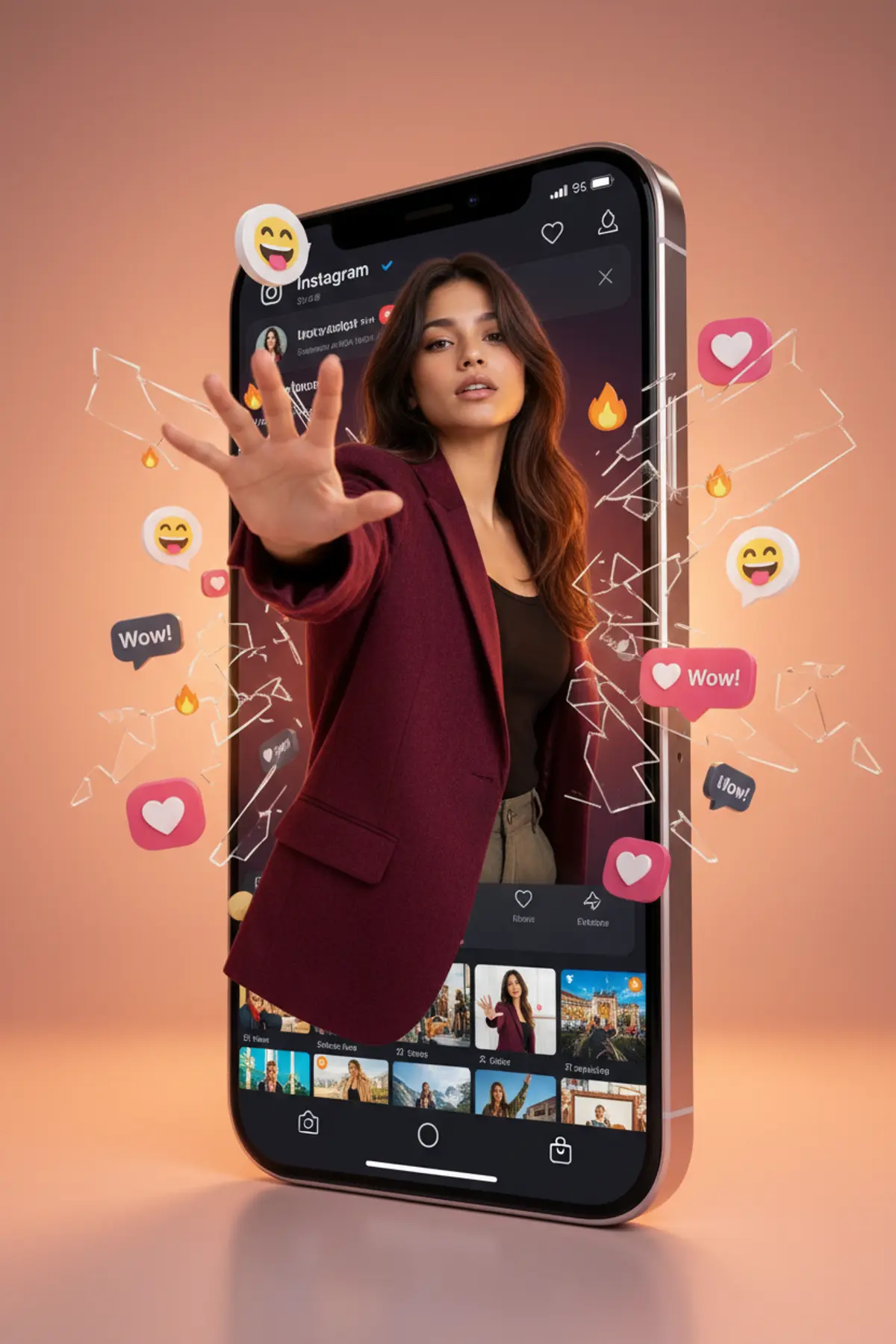

Breaking the Feed — Luxury 3D Social Media Campaign
A premium photorealistic 3D social-media poster featuring a confident woman emerging from a giant smartphone screen, blending dramatic perspective, luxury fashion, realistic depth, vibrant engagement icons, and cinematic advertising aesthetics.
Copy this, then paste it with your photo in Gemini or ChatGPT
ChatGPT opens with your prompt filled in. In Gemini, paste it. Add your photo there and send.ChatGPT opens with your prompt filled in. In Gemini, long-press the box, tap Paste. Add your photo.
Prompt
Needs 1 photo
Use the uploaded image as the visual reference for the overall composition, pose, lighting, and 3D social-media concept. If a separate personal face reference is provided, use that image as the PRIMARY and ONLY identity reference and preserve the exact recognizable facial identity. Create a photorealistic premium 3D social-media promotional poster featuring a young woman emerging from a giant modern smartphone displaying an Instagram-style profile page. The woman should appear to break through the phone screen, creating a dramatic realistic depth effect. She wears a luxurious deep burgundy/red oversized jacket over a black outfit, with long flowing dark hair and elegant natural makeup. Pose: the subject reaches one hand toward the camera, creating a strong foreground perspective, with realistic fingers and natural hand anatomy. Her expression is confident, stylish and slightly mysterious. Maintain realistic skin texture, detailed hair strands and natural facial proportions. The smartphone should be large, vertically positioned in the center, with a sleek premium metallic frame and a dark social-media interface. Surround the phone with floating 3D heart reactions, like notifications, speech bubbles, smiley emojis and social-media icons, creating a viral engagement atmosphere. Background: warm peach/orange studio gradient, soft cinematic glow, subtle floor reflection and realistic shadows. Add professional product-photography lighting, volumetric highlights, shallow depth of field and premium advertising aesthetics. Style: ultra-realistic photography + realistic 3D compositing, luxury social-media campaign, cinematic, highly detailed, sharp subject, realistic reflections, realistic depth, 8K quality, vertical 4:5 composition. Important: Do not distort the face, hands, fingers, phone, or interface. Keep the composition clean and premium. Avoid cartoon styling, plastic skin, excessive beauty retouching, warped text, extra fingers, duplicate limbs or unnatural facial features.
How to use this prompt
In Gemini
- Tap Copy prompt, or Open in Gemini, which copies it for you.
- In Gemini, add your photo with the + button.
- Paste the prompt into the message box and send.
In ChatGPT
- Tap Open in ChatGPT: it opens with the prompt filled in (it is copied too, in case you need to paste it).
- Attach your photo with the + button.
- Send, and wait for your picture.
Gemini se kaise banaye: photo upload karo, prompt paste karo, send dabao.
Questions people ask
Is this prompt free?
Yes. Copy it and use it in Gemini, ChatGPT or another AI photo app as often as you like. You don't need a pixkoz account to copy it.
Will it work on my photo?
It works best with a clear, front-facing photo in good light, with the face fully visible. AI results vary from one try to the next: if a detail is off, try again.
Gemini or ChatGPT: which is better for this?
Both can use it. The examples on this page were made with Google: Nano Banana (Gemini 2.5 Flash Image), the model behind Gemini's images, so Gemini comes closest to them; ChatGPT gives its own take on the same prompt.
What happens to my photo?
When you use the prompt in Gemini or ChatGPT, your photo goes to that app, not to pixkoz, and that app's own privacy terms apply.





