Open this in the pixkoz appGet the pixkoz app on Google PlayUse the pixkoz app
OpenGetOpen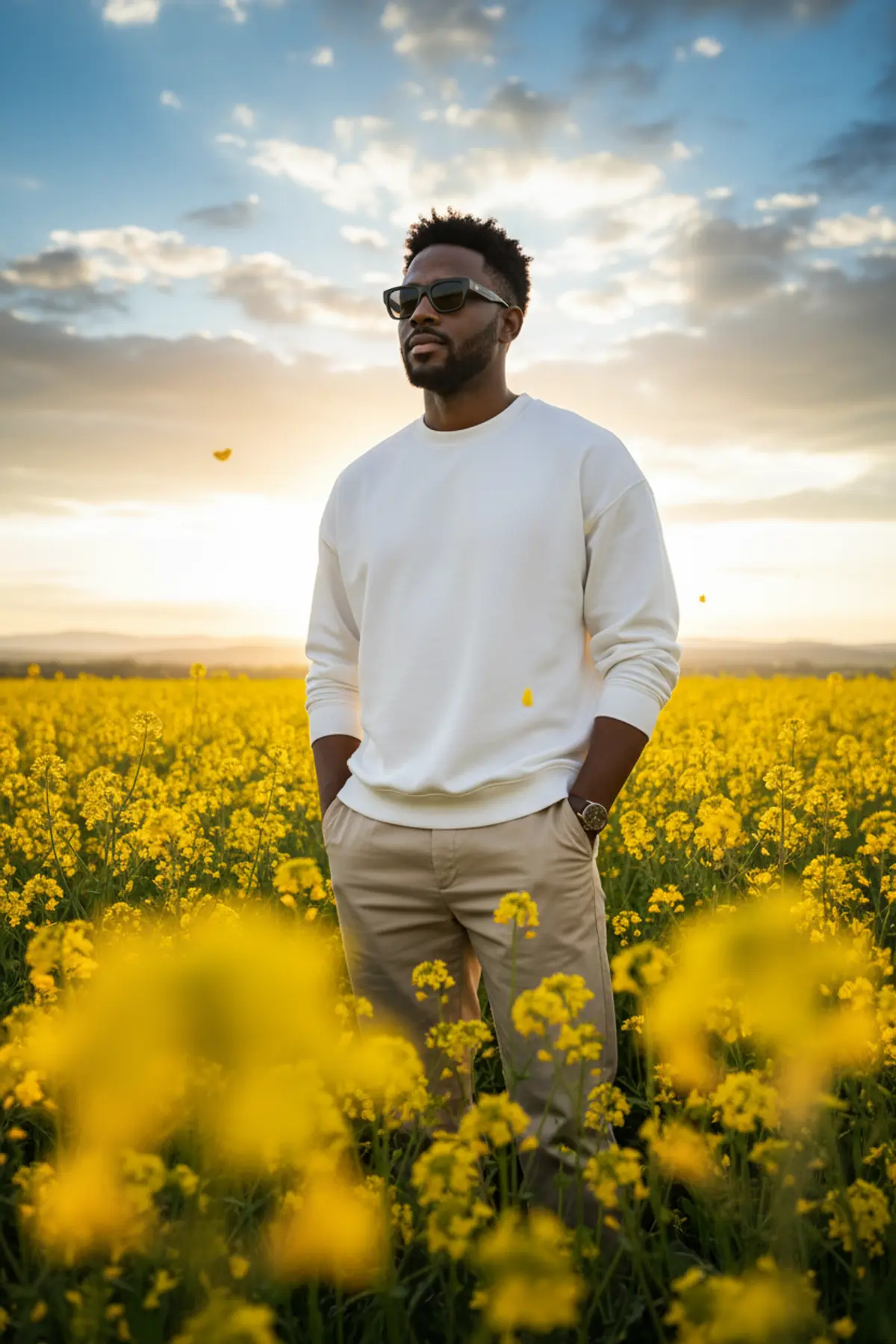

Golden Wildflower Gentleman — Cinematic Sunset Portrait
A photorealistic golden-hour fashion portrait preserving the subject’s recognizable identity while combining effortless menswear, glowing wildflowers, dramatic skies, and dreamy cinematic depth.
Copy this, then paste it with your photo in Gemini or ChatGPT
ChatGPT opens with your prompt filled in. In Gemini, paste it. Add your photo there and send.ChatGPT opens with your prompt filled in. In Gemini, long-press the box, tap Paste. Add your photo.
Prompt
Needs 1 photo
Use the uploaded reference photo as the identity reference. Preserve the person's recognizable facial identity, facial structure, hairstyle and natural skin texture accurately. MUltra-realistic cinematic outdoor portrait of a stylish young man standing in a vast field of yellow wildflowers during golden hour. He is wearing a clean oversized white crew-neck sweatshirt with sleeves slightly rolled up and relaxed beige trousers, both hands casually placed in his pockets. He has naturally wavy, slightly tousled dark hair, a neatly trimmed beard and mustache, and wears black rectangular sunglasses. He is looking slightly to the side with a calm, confident expression. Low-angle photography from within the flowers, with large yellow flowers softly blurred in the foreground creating beautiful depth and natural bokeh. Several delicate yellow petals are floating naturally through the air around him. Warm setting sun positioned behind him near the horizon, creating soft golden rim light around his hair and shoulders, subtle lens flare, glowing highlights and realistic atmospheric light. Background features distant hills and a dramatic blue-and-golden sky filled with soft textured clouds. Professional fashion photography, full-body composition, natural human proportions, realistic skin texture, authentic fabric details, shallow depth of field, creamy bokeh, 85mm portrait lens look, f/1.8, cinematic dynamic range, photorealistic, natural warm color grading, soft contrast, highly detailed, realistic sunlight, no artificial look, no excessive HDR, no oversaturation, no plastic skin.
How to use this prompt
In Gemini
- Tap Copy prompt, or Open in Gemini, which copies it for you.
- In Gemini, add your photo with the + button.
- Paste the prompt into the message box and send.
In ChatGPT
- Tap Open in ChatGPT: it opens with the prompt filled in (it is copied too, in case you need to paste it).
- Attach your photo with the + button.
- Send, and wait for your picture.
Gemini se kaise banaye: photo upload karo, prompt paste karo, send dabao.
Questions people ask
Is this prompt free?
Yes. Copy it and use it in Gemini, ChatGPT or another AI photo app as often as you like. You don't need a pixkoz account to copy it.
Will it work on my photo?
It works best with a clear, front-facing photo in good light, with the face fully visible. AI results vary from one try to the next: if a detail is off, try again.
Gemini or ChatGPT: which is better for this?
Both can use it. The examples on this page were made with Google: Nano Banana (Gemini 2.5 Flash Image), the model behind Gemini's images, so Gemini comes closest to them; ChatGPT gives its own take on the same prompt.
What happens to my photo?
When you use the prompt in Gemini or ChatGPT, your photo goes to that app, not to pixkoz, and that app's own privacy terms apply.