Open this in the pixkoz appGet the pixkoz app on Google PlayUse the pixkoz app
OpenGetOpen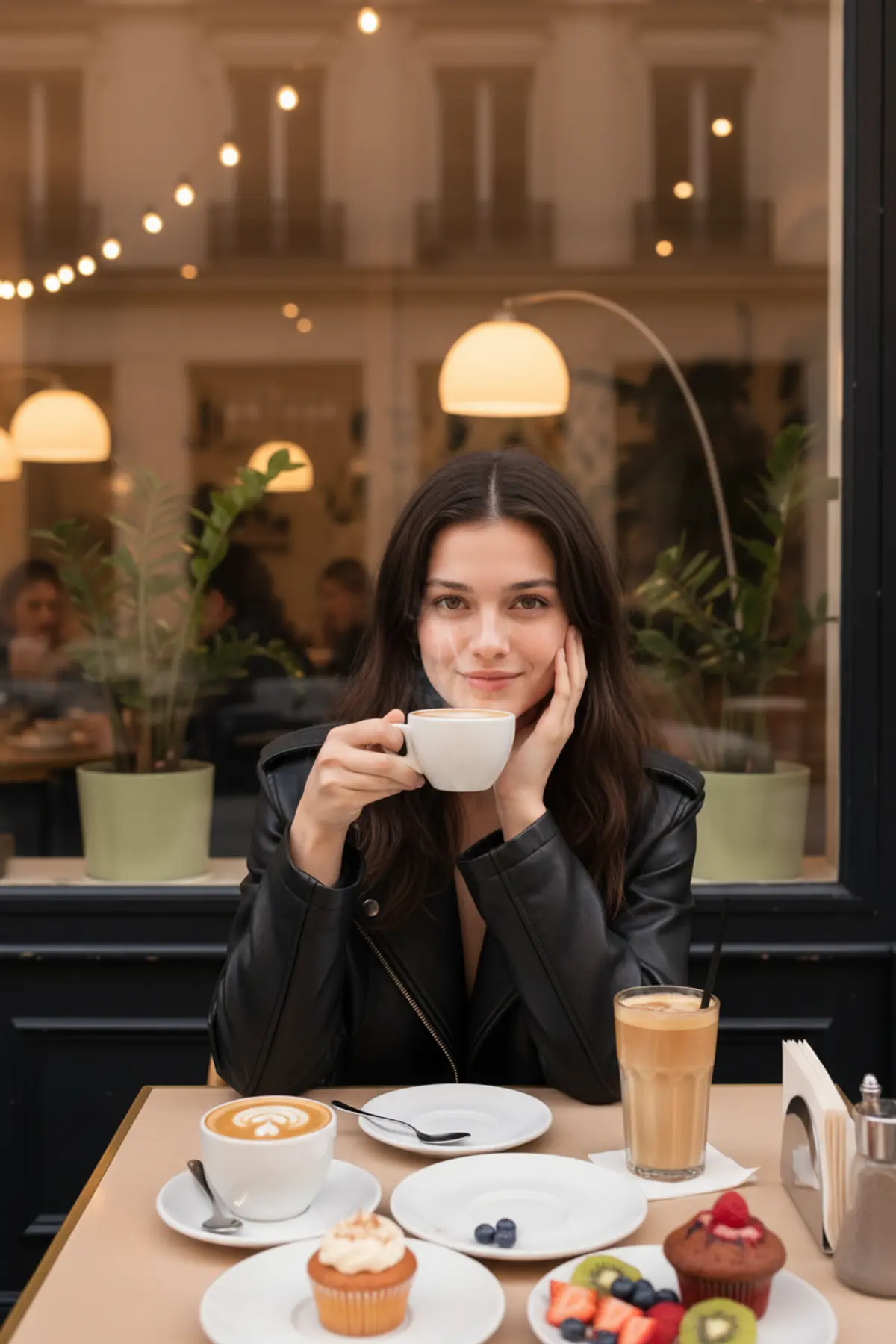
Cozy Café Moments – Coffee & Chic Vibes
Create a photorealistic café portrait featuring a relaxed pose, an oversized black leather jacket, delicious coffee and desserts, and warm evening ambience for a cozy, stylish, Instagram-worthy aesthetic.
Copy this, then paste it with your photo in Gemini or ChatGPT
ChatGPT opens with your prompt filled in. In Gemini, paste it. Add your photo there and send.ChatGPT opens with your prompt filled in. In Gemini, long-press the box, tap Paste. Add your photo.
Prompt
Needs 1 photo
"style": "realistic cozy cafe lifestyle photography", "format": "vertical portrait", "aspect_ratio": "4:5", "camera": { "type": "smartphone camera", "angle": "eye-level", "framing": "medium portrait with table and food in foreground", "look": "natural candid smartphone photography", "focus": "sharp subject with softly detailed background" }, "subject": { "pose": "seated comfortably at a cafe table", "left_hand": "gently resting against the cheek", "right_hand": "holding a small white coffee cup near the face", "expression": "soft natural smile", "gaze": "looking directly at the camera", "hair": "long dark brown hair, center-parted, naturally straight with soft waves", "appearance": "natural, fresh and relaxed" }, "outfit": { "outerwear": "black oversized leather jacket", "inner_top": "simple neutral-colored top", "style": "casual, minimal and chic" }, "cafe_environment": { "location": "warm modern cafe", "background": "large glass window with reflections", "decor": [ "warm string lights", "indoor plants", "arched lamps", "modern cafe seating", "soft evening ambience" ], "background_people": "a few cafe customers naturally seated in the background", "mood": "cozy, intimate and relaxed" }, "table_setup": { "foreground_items": [ "white ceramic coffee cup", "cappuccino with latte art", "tall iced coffee", "small dessert cupcake", "red berry muffin", "fresh fruit plate", "white ceramic plates", "silver spoons", "straw holder" ], "composition": "abundant cafe table setting naturally framing the subject" }, "lighting": { "type": "warm indoor cafe lighting", "ambient": "soft warm string lights", "face_light": "gentle diffused light", "shadows": "soft natural shadows", "highlights": "subtle warm highlights", "mood": "warm, cozy and romantic" }, "color_grade": { "overall": "warm creamy cinematic tones", "skin_tone": "natural warm skin", "palette": [ "cream", "warm beige", "black", "dark brown", "soft green", "warm yellow" ], "contrast": "moderate", "saturation": "natural slightly warm" }, "composition": { "subject_position": "center frame", "visual_focus": [ "face", "soft smile", "coffee cup", "cafe table" ], "foreground": "coffee, desserts and fruit clearly visible", "background": "softly layered cafe environment", "depth": "natural medium shallow depth of field" }, "photographic_finish": { "realism": "highly photorealistic", "skin_texture": "natural realistic texture", "hair_texture": "individual natural strands", "food_texture": "realistic coffee foam and dessert details", "quality": "high resolution 4K", "finish": "authentic smartphone cafe photography" }, "negative_prompt": [ "AI-looking face", "plastic skin", "over-smoothed skin", "excessive beauty retouching", "distorted hands", "extra fingers", "warped coffee cup", "fake food", "artificial background", "excessive HDR", "oversaturation", "cartoon", "illustration", "studio backdrop" ] } }
Part of: Cinematic portrait AI prompts
How to use this prompt
In Gemini
- Tap Copy prompt, or Open in Gemini, which copies it for you.
- In Gemini, add your photo with the + button.
- Paste the prompt into the message box and send.
In ChatGPT
- Tap Open in ChatGPT: it opens with the prompt filled in (it is copied too, in case you need to paste it).
- Attach your photo with the + button.
- Send, and wait for your picture.
Gemini se kaise banaye: photo upload karo, prompt paste karo, send dabao.
Questions people ask
Is this prompt free?
Yes. Copy it and use it in Gemini, ChatGPT or another AI photo app as often as you like. You don't need a pixkoz account to copy it.
Will it work on my photo?
It works best with a clear, front-facing photo in good light, with the face fully visible. AI results vary from one try to the next: if a detail is off, try again.
Gemini or ChatGPT: which is better for this?
Both can use it. The examples on this page were made with Google: Nano Banana (Gemini 2.5 Flash Image), the model behind Gemini's images, so Gemini comes closest to them; ChatGPT gives its own take on the same prompt.
What happens to my photo?
When you use the prompt in Gemini or ChatGPT, your photo goes to that app, not to pixkoz, and that app's own privacy terms apply.





