Open this in the pixkoz appGet the pixkoz app on Google PlayUse the pixkoz app
OpenGetOpen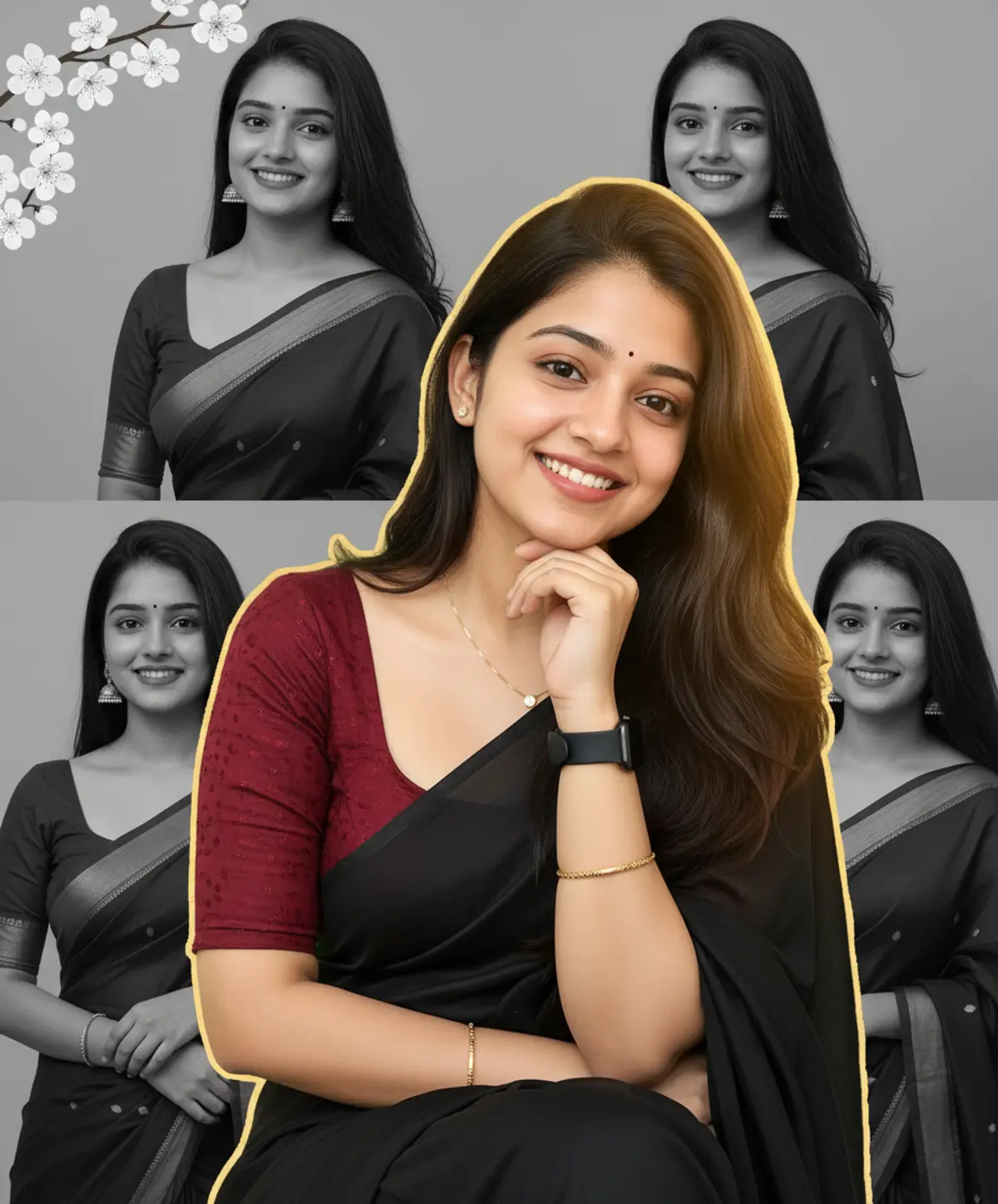
Desi Scrapbook — Selective Color Saree Collage
A vibrant 9:16 digital scrapbook collage featuring a cheerful South Asian woman in elegant black-and-maroon traditional attire, layered over monochrome portraits with golden-hour color and delicate floral accents.
Copy this, then paste it with your photo in Gemini or ChatGPT
ChatGPT opens with your prompt filled in. In Gemini, paste it. Add your photo there and send.ChatGPT opens with your prompt filled in. In Gemini, long-press the box, tap Paste. Add your photo.
Prompt
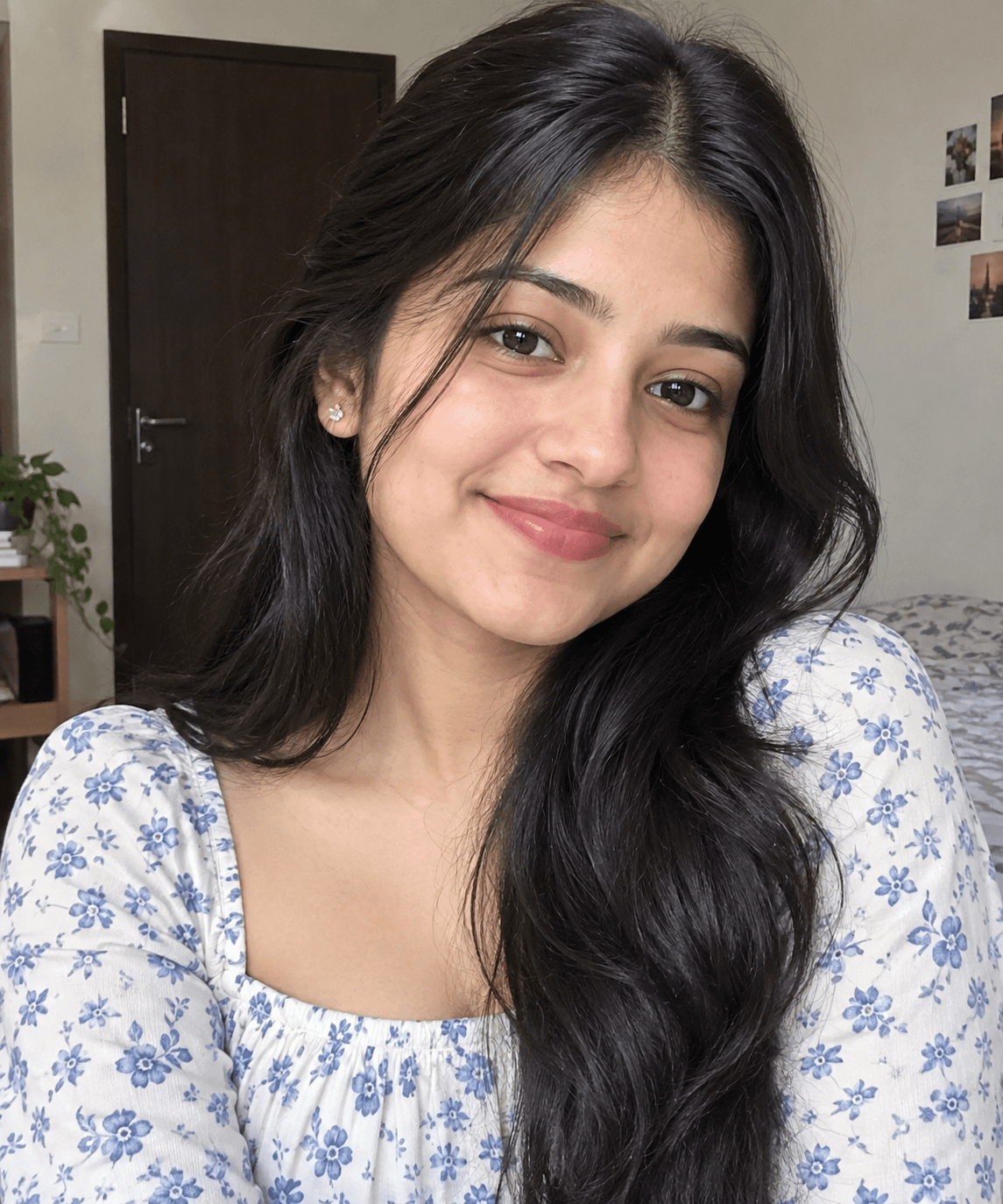
Needs 1 photo
Create image 9:16, Use reference IMG { "category": "graphic_design", "category_reasoning": "The image is a digital collage combining a central cutout color portrait layered over multiple black-and-white photographs and graphic floral elements.", "adaptable": "subject", "subject": "smiling young woman in a central cutout portrait, layered over background portraits", "subject_details": "young adult female, long dark wavy hair, hand resting on chin, wearing a black saree with a textured maroon short-sleeve blouse, small earrings, gold necklace, gold bracelet, black watch, cheerful expression", "setting": "digital collage canvas", "setting_details": "background composed of four overlapping black-and-white portraits of women in sarees and traditional wear, graphic white cherry blossom flowers in the top left corner", "composition": "layered flat-lay collage, central pop-out subject overlapping a grid of background images, strict selective color contrast between center and background", "camera": "composite of multiple standard portrait shots, flat 2D graphic layout", "lighting": "central subject has golden hour sunlight with a strong rim light on the right side of the hair and soft bounce fill on the face; background subjects have diffused natural daylight", "color_grade": "selective color composite, vibrant warm foreground against a strict grayscale background", "color_palette": "maroon, black, white, gold, warm peach", "style": "digital scrapbook, photo collage, South Asian traditional fashion, selective color, Instagram aesthetic", "mood": "cheerful, nostalgic, elegant, warm", "textures_materials": "matte fabric of the saree, soft skin, smooth digital floral graphics, hard edges of the digital cutout", "post_processing": "heavy digital compositing, full desaturation of background layers, skin softening on central subject, visible rough masking/cutout edges around the central figure with slight green fringing on the left", "recreation_prompt": "digital scrapbook photo collage, central vibrant color portrait of a smiling young woman with long dark wavy hair resting chin on hand, wearing a black saree and textured maroon blouse, warm golden hour rim lighting on hair, superimposed over a background of four overlapping black-and-white portraits of young women in traditional Indian attire, top left corner features graphic white cherry blossoms, selective color composite, cheerful elegant mood, highly detailed", "adaptation_prompt": "digital scrapbook photo collage, central vibrant color portrait of [YOUR SUBJECT — describe yourself: appearance, outfit, pose], warm golden hour rim lighting, superimposed over a background of four overlapping black-and-white portraits, top left corner features graphic white cherry blossoms, selective color composite, cheerful elegant mood, highly detailed", "negative_prompt": "realistic single scene, 3d render, missing background photos, fully colorized background, desaturated center subject, seamless blending", "color_science": "selective color isolation, high saturation warm tones in the foreground (maroon, gold, skin), strict monochrome/grayscale background", "filter_name": "Selective Color Digital Collage", "filter_description": "center subject retains full warm saturation with enhanced golden-hour highlights, background subjects fully desaturated to black and white, flat collage compositing", "white_balance": "warm foreground, neutral grayscale background", "color_temperature": "warm ~3500K golden hour light on central subject, neutral daylight on background subjects", "tone_curve": "S-curve for contrast on the central subject, standard contrast on background grayscale images", "dynamic_range": "standard digital dynamic range, slightly compressed shadows in the background layers", "highlight_rendering": "bright warm specular rim light on the central subject's hair, soft highlights on faces", "shadow_rendering": "deep blacks in the saree and hair of the central subject, medium density shadows in background", "camera_rendering": "digital compositing of several distinct standard portraits", "lens_rendering": "central portrait shot with a short telephoto (approx 50-85mm), flat orthographic projection for the overall collage", "noise_profile": "clean digital captures, minimal noise", "grain_profile": "no added film grain", "sharpness_profile": "central subject is sharp, background subjects are slightly softer, rough masking edges on the central subject", "retouching_analysis": "skin smoothing on the central subject, imperfect edge extraction/masking with noticeable fringing on the left side of the cutout", "portrait_analysis": "central subject makes direct eye contact, hand resting gracefully on chin, authentic Duchenne smile, relaxed muscles, head tilted slightly; background shows mixed poses including profile and looking away", "facial_expression": "cheerful, welcoming, warm", "micro_expression": "crinkled eyes, relaxed brow, genuine smile", "skin_rendering": "smooth, digitally softened, warm golden hour glow on the central subject", "hair_rendering": "long, thick, dark, wavy hair with a strong golden rim light on the right edge", "lighting_analysis": "central portrait features golden hour back/rim lighting from the right with soft bounce fill on the face, creating a glowing separation from the background", "visual_style_analysis": "digital scrapbook, Instagram-style selective color collage, traditional Indian fashion aesthetic, mixed media" }
How to use this prompt
In Gemini
- Tap Copy prompt, or Open in Gemini, which copies it for you.
- In Gemini, add your photo with the + button.
- Paste the prompt into the message box and send.
In ChatGPT
- Tap Open in ChatGPT: it opens with the prompt filled in (it is copied too, in case you need to paste it).
- Attach your photo with the + button.
- Send, and wait for your picture.
Gemini se kaise banaye: photo upload karo, prompt paste karo, send dabao.
Questions people ask
Is this prompt free?
Yes. Copy it and use it in Gemini, ChatGPT or another AI photo app as often as you like. You don't need a pixkoz account to copy it.
Will it work on my photo?
It works best with a clear, front-facing photo in good light, with the face fully visible. AI results vary from one try to the next: if a detail is off, try again.
Gemini or ChatGPT: which is better for this?
Both can use it. The examples on this page were made with Google: Nano Banana (Gemini 2.5 Flash Image), the model behind Gemini's images, so Gemini comes closest to them; ChatGPT gives its own take on the same prompt.
What happens to my photo?
When you use the prompt in Gemini or ChatGPT, your photo goes to that app, not to pixkoz, and that app's own privacy terms apply.