Open this in the pixkoz appGet the pixkoz app on Google PlayUse the pixkoz app
OpenGetOpen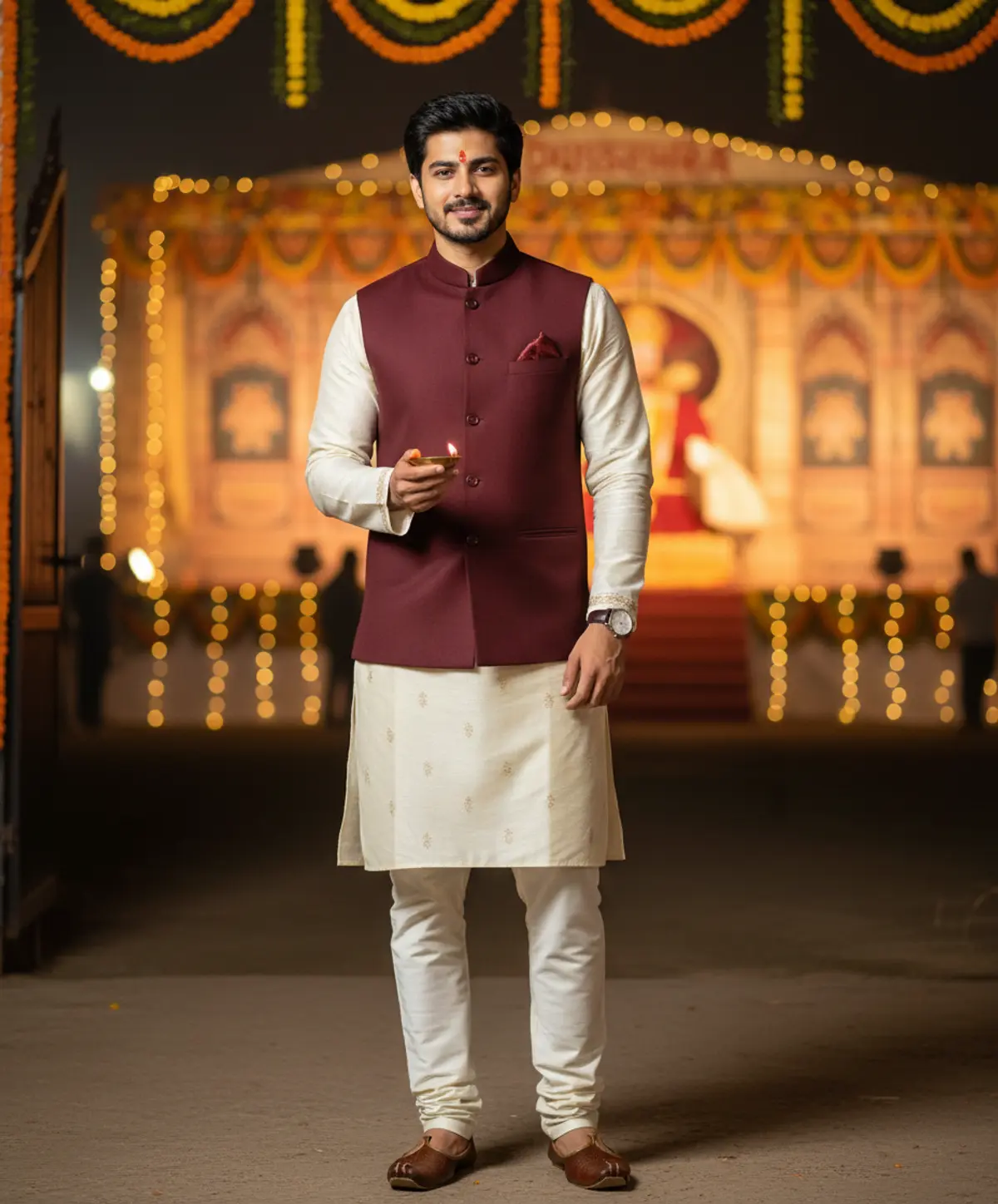
Dussehra — The Modern Festive Gentleman 🤍🔥
Celebrating the spirit of Dussehra in timeless ivory and maroon elegance, blending traditional Indian charm with modern gentleman style and festive sophistication. ✨🙏
Copy this, then paste it with your photo in Gemini or ChatGPT
ChatGPT opens with your prompt filled in. In Gemini, paste it. Add your photo there and send.ChatGPT opens with your prompt filled in. In Gemini, long-press the box, tap Paste. Add your photo.
Prompt
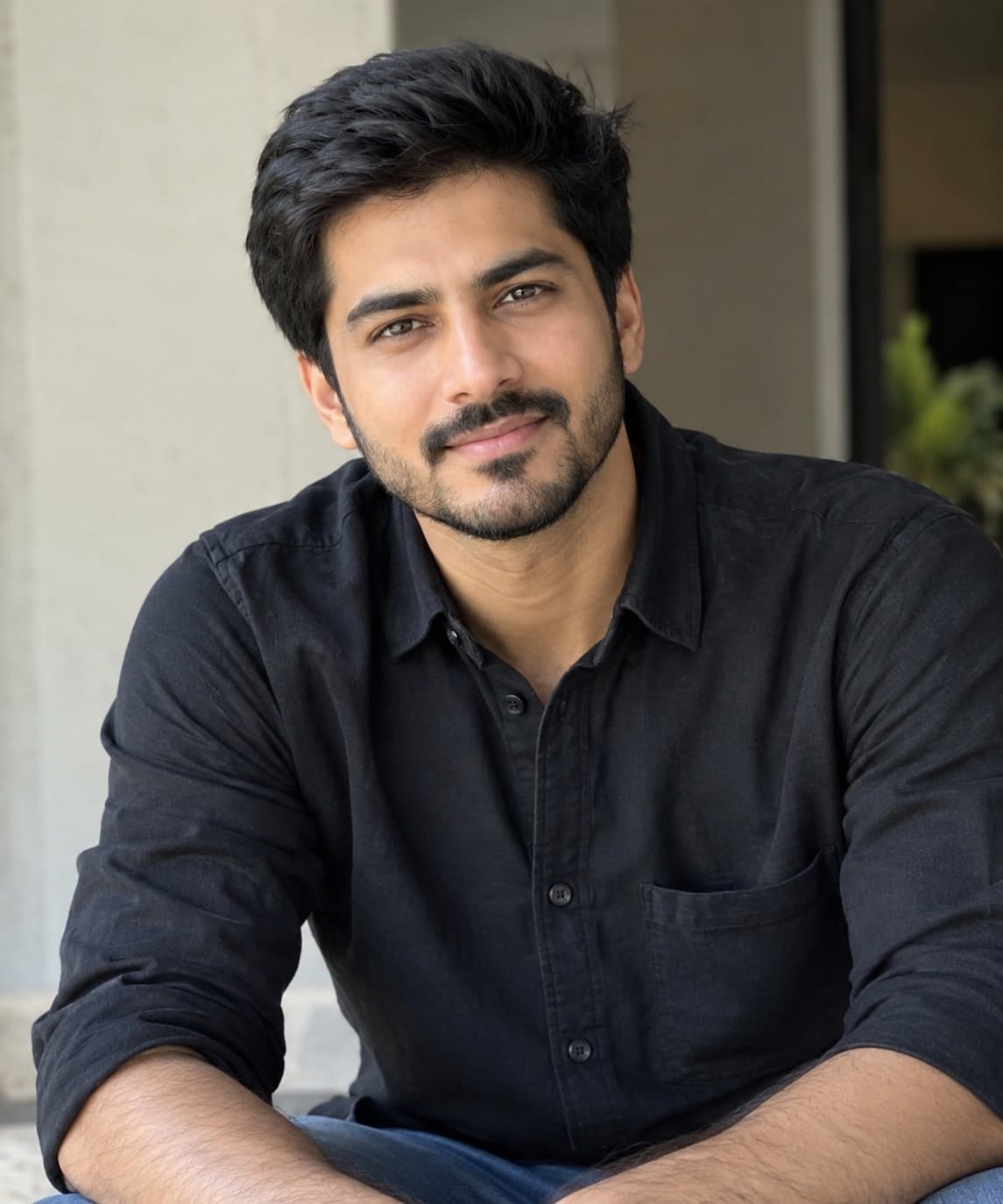
Needs 1 photo
Use the uploaded photo as the ONLY and STRICT identity reference for the man. Preserve his exact recognizable face, facial geometry, forehead, eyebrows, eyes, nose, lips, cheeks, jawline, chin, skin tone, natural skin texture, hairline, hairstyle, facial hair if present, age appearance, and natural body proportions. Do not beautify, redesign, or replace his face. Concept and Outfit: Create a premium, photorealistic Dussehra portrait of the same man wearing an elegant ivory-white kurta with subtle gold embroidery, a deep maroon Nehru jacket, tailored white trousers, and traditional brown mojari shoes. Add a simple wristwatch and a small, tasteful festive tilak. The outfit should look authentic, refined, and naturally fitted. Pose and Story: The man stands confidently at a beautifully decorated Dussehra celebration entrance, holding a small brass diya in one hand. His other hand rests naturally by his side. He looks directly into the camera with a calm, genuine smile. In the distant background, show a softly illuminated Dussehra stage with marigold garlands, warm lights, and a large traditional Ravan effigy at a safe distance. Keep the man as the clear main subject. Photography: Realistic DSLR portrait, vertical 9:16 composition, waist-up framing, natural skin pores, accurate hands, realistic fabric texture, warm golden-hour-to-evening lighting, cinematic background bokeh, 50mm lens appearance, premium Indian festive editorial photography. The scene must feel like a real photograph taken at a local Dussehra celebration, not a movie poster or fantasy illustration. Identity and Quality Restrictions: Change only the outfit, pose, and environment. Keep the original person's identity, skin color, hairstyle, facial hair, and body build unchanged. No face swapping, no generic AI face, no facial reshaping, no skin whitening, no artificial skin smoothing, no exaggerated muscles, no extra fingers, no distorted hands, no duplicate person, no cartoon or CGI appearance, no text or watermark.
How to use this prompt
In Gemini
- Tap Copy prompt, or Open in Gemini, which copies it for you.
- In Gemini, add your photo with the + button.
- Paste the prompt into the message box and send.
In ChatGPT
- Tap Open in ChatGPT: it opens with the prompt filled in (it is copied too, in case you need to paste it).
- Attach your photo with the + button.
- Send, and wait for your picture.
Gemini se kaise banaye: photo upload karo, prompt paste karo, send dabao.
Questions people ask
Is this prompt free?
Yes. Copy it and use it in Gemini, ChatGPT or another AI photo app as often as you like. You don't need a pixkoz account to copy it.
Will it work on my photo?
It works best with a clear, front-facing photo in good light, with the face fully visible. AI results vary from one try to the next: if a detail is off, try again.
Gemini or ChatGPT: which is better for this?
Both can use it. The examples on this page were made with Google: Nano Banana (Gemini 2.5 Flash Image), the model behind Gemini's images, so Gemini comes closest to them; ChatGPT gives its own take on the same prompt.
What happens to my photo?
When you use the prompt in Gemini or ChatGPT, your photo goes to that app, not to pixkoz, and that app's own privacy terms apply.





