Open this in the pixkoz appGet the pixkoz app on Google PlayUse the pixkoz app
OpenGetOpen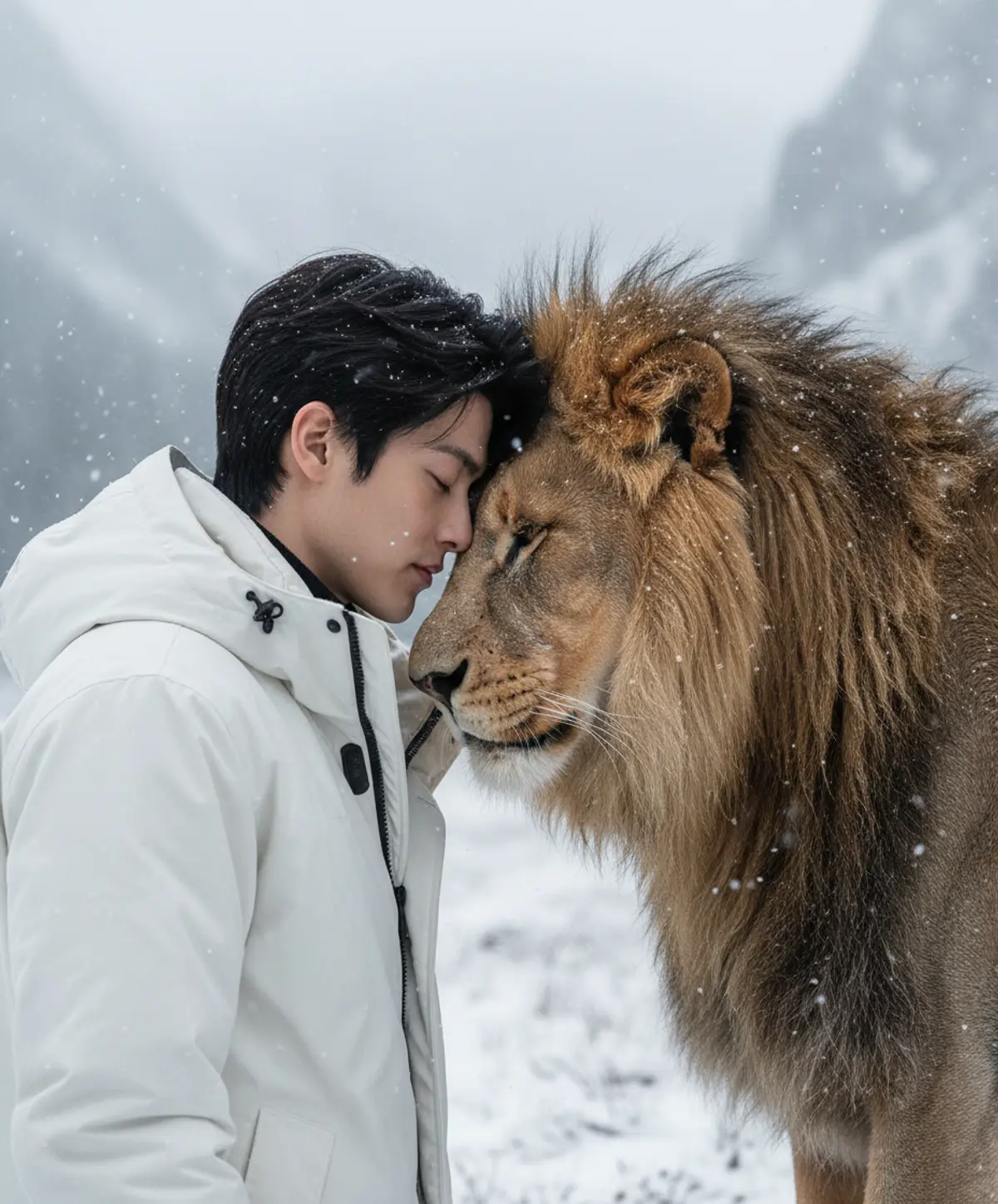

The Lion’s Silent Bond
An emotional winter portrait capturing a profound moment of trust, friendship, and harmony between a man and a majestic lion beneath softly falling snow.
Copy this, then paste it with your photo in Gemini or ChatGPT
ChatGPT opens with your prompt filled in. In Gemini, paste it. Add your photo there and send.ChatGPT opens with your prompt filled in. In Gemini, long-press the box, tap Paste. Add your photo.
Prompt
Needs 1 photo
Create a realistic and emotional scene showing a man (use the provided image for accurate facial features) and a lion face to face in a moment of connection and respect. The man's eyes are closed, with a serene expression, while the lion gently rests its forehead and muzzle against his, conveying trust and a spiritual bond. Both are standing on ground covered in light snow, with snowflakes gently Talling. The man wears a white coat and hair slightly tousled by the wind, and the lion displays a thick, majestic mane. In the background, a cold, misty natural landscape with blurred mountains and gray tones reinforces the calm and powerful atmosphere. The lighting is soft and diffuse, highlighting the textures of the skin, fur, and coat, creating a cinematic and poetic atmosphere. The composition should convey friendship, courage, and harmony between man and nature. Suggested settings: style: Ultra-realistic, cinematic, 8K Lighting: Soft, diffuse, natural winter light Camera: Medium close-up, focus on expressions Emotion: Connection, respect, tranquility Setting: Falling snow, blurred background with mountains
How to use this prompt
In Gemini
- Tap Copy prompt, or Open in Gemini, which copies it for you.
- In Gemini, add your photo with the + button.
- Paste the prompt into the message box and send.
In ChatGPT
- Tap Open in ChatGPT: it opens with the prompt filled in (it is copied too, in case you need to paste it).
- Attach your photo with the + button.
- Send, and wait for your picture.
Gemini se kaise banaye: photo upload karo, prompt paste karo, send dabao.
Questions people ask
Is this prompt free?
Yes. Copy it and use it in Gemini, ChatGPT or another AI photo app as often as you like. You don't need a pixkoz account to copy it.
Will it work on my photo?
It works best with a clear, front-facing photo in good light, with the face fully visible. AI results vary from one try to the next: if a detail is off, try again.
Gemini or ChatGPT: which is better for this?
Both can use it. The examples on this page were made with Google: Nano Banana (Gemini 2.5 Flash Image), the model behind Gemini's images, so Gemini comes closest to them; ChatGPT gives its own take on the same prompt.
What happens to my photo?
When you use the prompt in Gemini or ChatGPT, your photo goes to that app, not to pixkoz, and that app's own privacy terms apply.





