Open this in the pixkoz appGet the pixkoz app on Google PlayUse the pixkoz app
OpenGetOpen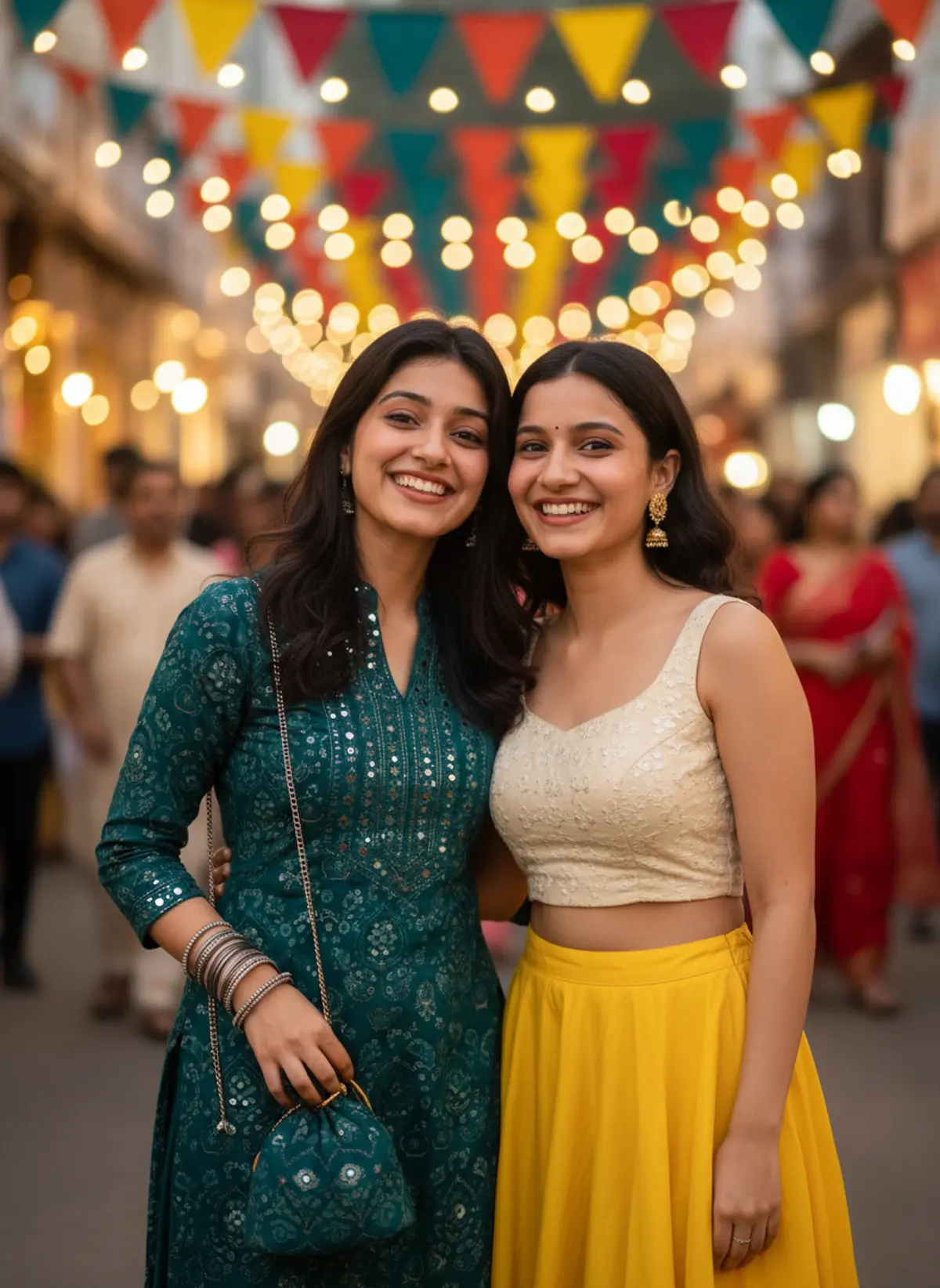
Festival BFF Magic – Colorful Friendship Vibes 💛👯♀️✨
Celebrate unbreakable friendship with a vibrant Indian street-festival portrait featuring two best friends, traditional festive outfits, colorful flags, and glowing fairy lights. Genuine smiles, warm cinematic lighting, and rich teal-and-yellow tones capture the joy, laughter, and unforgettable magic of being best friends.
Copy this, then paste it with your photo in Gemini or ChatGPT
ChatGPT opens with your prompt filled in. In Gemini, paste it. Add your photo there and send.ChatGPT opens with your prompt filled in. In Gemini, long-press the box, tap Paste. Add your photo.
Prompt
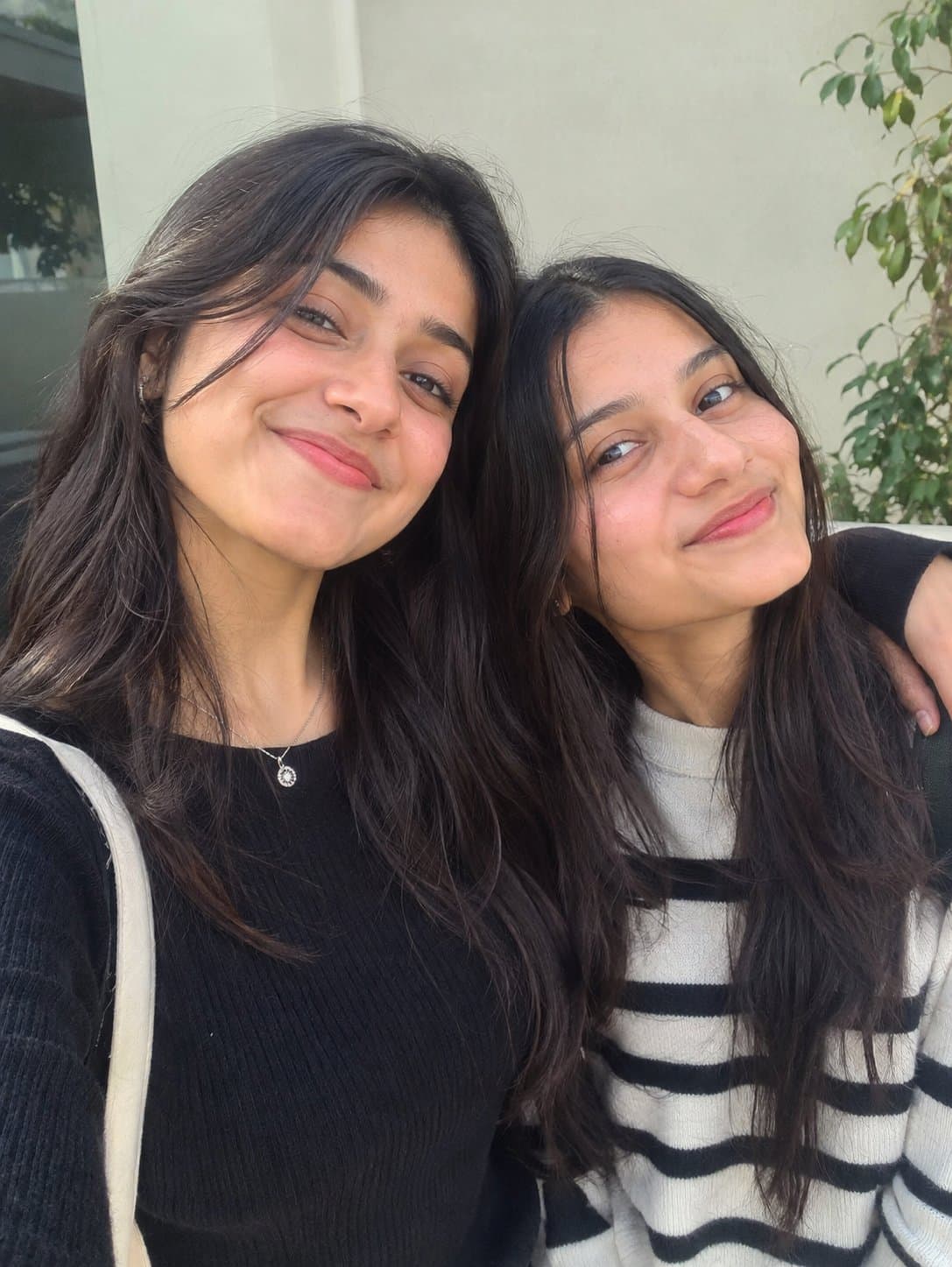
Needs 1 photo
Turn the uploaded photo of two friends into a lively, cinematic photo of them together at a busy Indian street festival. Faces: keep both friends exactly as they are in the photo, each with her own face shape, eyes, brows, nose, lips, skin tone and natural expression. No changes to either face: no beautifying, reshaping or swapping. Pose: they stand together in the middle of a cheerful crowd, one friend's arm resting over the other's shoulder. Both look straight into the camera, happy and relaxed, as if they have been laughing together for the last ten minutes. Outfits: one wears a deep teal printed kurta with mirror work, oxidised silver bangles and a small potli bag. The other pairs a simple embroidered crop top with a flared skirt in bright yellow, and wears small jhumkas. Both have loose, wavy hair and light festival makeup: kajal and a warm nude lip. Scene: strings of warm fairy lights and colourful flags criss-cross the street overhead, with a buzzing festival crowd all around. The background is a painterly blur of colour, movement and warm light that gives real depth. Camera: Fujifilm X-T5 look, 35mm lens at f/2, ISO 800, 1/250 s, so the faces are sharp and the background keeps a little motion. Look: warm, vibrant colour in the shades of a festival: deep teals, reds and yellows. Polished like a premium fashion magazine: classy and elegant, with natural beauty and cinematic light. Format: vertical, 3:4.
How to use this prompt
In Gemini
- Tap Copy prompt, or Open in Gemini, which copies it for you.
- In Gemini, add your photo with the + button.
- Paste the prompt into the message box and send.
In ChatGPT
- Tap Open in ChatGPT: it opens with the prompt filled in (it is copied too, in case you need to paste it).
- Attach your photo with the + button.
- Send, and wait for your picture.
Gemini se kaise banaye: photo upload karo, prompt paste karo, send dabao.
Questions people ask
Is this prompt free?
Yes. Copy it and use it in Gemini, ChatGPT or another AI photo app as often as you like. You don't need a pixkoz account to copy it.
Will it work on my photo?
It works best with a clear, front-facing photo in good light, with the face fully visible. AI results vary from one try to the next: if a detail is off, try again.
Gemini or ChatGPT: which is better for this?
Both can use it. The examples on this page were made with Google: Nano Banana (Gemini 2.5 Flash Image), the model behind Gemini's images, so Gemini comes closest to them; ChatGPT gives its own take on the same prompt.
What happens to my photo?
When you use the prompt in Gemini or ChatGPT, your photo goes to that app, not to pixkoz, and that app's own privacy terms apply.





