Open this in the pixkoz appGet the pixkoz app on Google PlayUse the pixkoz app
OpenGetOpen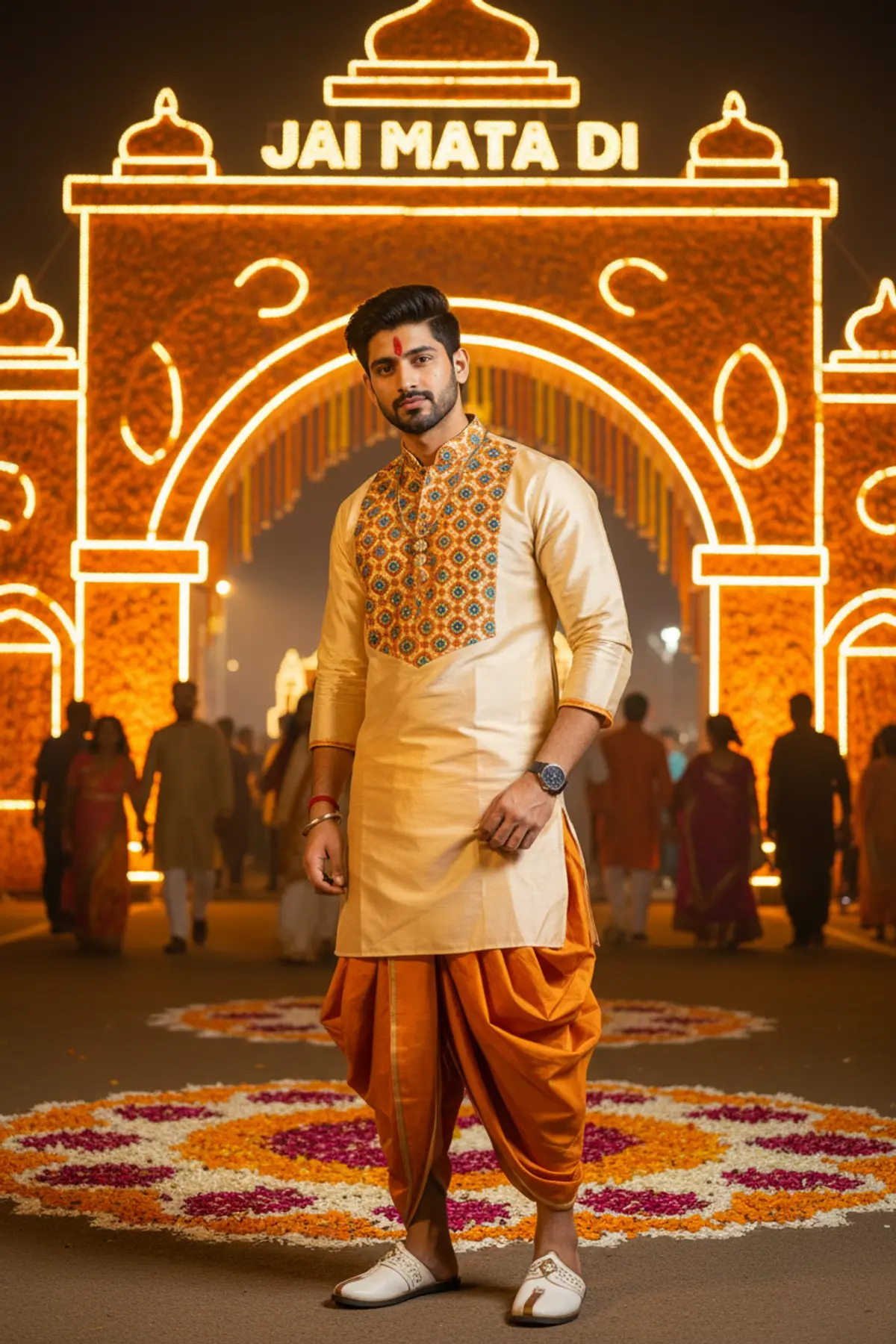

Ahmedabad Navratri Nights 2026 🧡✨
Celebrate Navratri in style with a cinematic full-body portrait featuring a cream-and-saffron silk kurta, modern dhoti drape, elegant traditional accessories, and a grand marigold entrance arch glowing with golden lights. A perfect blend of Gujarati festive spirit, contemporary ethnic fashion, and royal editorial elegance.
Copy this, then paste it with your photo in Gemini or ChatGPT
ChatGPT opens with your prompt filled in. In Gemini, paste it. Add your photo there and send.ChatGPT opens with your prompt filled in. In Gemini, long-press the box, tap Paste. Add your photo.
Prompt
Needs 1 photo
Make a vertical 9:16 fashion portrait of the man in the uploaded photo, standing at the glowing entrance arch of a big Garba ground in Ahmedabad during Navratri, on a warm night. Cinematic, fully realistic, ultra-detailed. His face: take it from the photo with no changes at all. The same eyes, eyelids and brows; the same nose, lips and jaw; the same proportions and natural skin tone; his own hair colour. No beauty filter and no smoothing: keep pores and real skin texture so he is instantly recognisable in close detail. Pose: a relaxed, stylish full-length stance, feet a little apart. His body turns about 45 degrees from the camera while his face looks straight into the lens: cool and composed, a slight smirk, sharp and confident eyes. One hand is tucked casually into the waist of his dhoti; the other hangs loosely. Half festival-goer, half fashion editorial. Outfit: a modern fusion Navratri look. A cream and saffron silk kurta with a Nehru collar, block-printed across the chest with detailed geometric designs in peacock teal and deep saffron. The sleeves stop at three-quarter length, and the kurta reaches mid-thigh, with side slits. Below it, a saffron silk dhoti, tailored and edged with a narrow gold border, draped in a modern way rather than the full traditional wrap. On his feet, Kolhapuri sandals in white leather, fastened with antique-gold buckles. Accessories, few but striking: one antique-gold chain with a small rudraksha pendant at the collarbone, a thick oxidised silver cuff around the left wrist, a red mauli thread around the right, and a fresh red kumkum tilak between his brows. Hair: brushed neatly back on top at medium length, with a natural side fall and short, faded sides; light and natural, ready for the festival. The arch and scene: behind him rises a tall arch built from marigold flowers mixed with warm amber and saffron LED strips, with "Jai Mata Di" spelled out in big floral letters across the top. The path up to the entrance is covered in a rangoli of flower petals: saffron, deep pink and white. Crowds in colourful traditional clothes walk in and out, soft in the background. The warm, humid night air adds a light haze and glow that makes the scene feel alive. Light: the arch's saffron and amber glow backlights him and draws a gold rim around his outline. A soft, warm front fill, like bounced tungsten light, shows his face clearly without flattening it. Deep warm shadows under the jaw and cheekbones give a sculpted, cinematic look. Camera: Sony A7R IV look, 70mm lens at f/1.4, framed from head to knee. Very shallow depth of field: the arch and crowd melt into soft bokeh while his face is pin-sharp, and the silk shows its real texture. A warm, rich grade with saffron and gold slightly lifted. Avoid: extra limbs or distorted anatomy; a soft or blurred face; plastic-looking or unnatural skin; low-resolution textures; cartoon or graphic styles; any watermark, logo or text other than the arch lettering. Format: vertical, 9:16.
How to use this prompt
In Gemini
- Tap Copy prompt, or Open in Gemini, which copies it for you.
- In Gemini, add your photo with the + button.
- Paste the prompt into the message box and send.
In ChatGPT
- Tap Open in ChatGPT: it opens with the prompt filled in (it is copied too, in case you need to paste it).
- Attach your photo with the + button.
- Send, and wait for your picture.
Gemini se kaise banaye: photo upload karo, prompt paste karo, send dabao.
Questions people ask
Is this prompt free?
Yes. Copy it and use it in Gemini, ChatGPT or another AI photo app as often as you like. You don't need a pixkoz account to copy it.
Will it work on my photo?
It works best with a clear, front-facing photo in good light, with the face fully visible. AI results vary from one try to the next: if a detail is off, try again.
Gemini or ChatGPT: which is better for this?
Both can use it. The examples on this page were made with Google: Nano Banana (Gemini 2.5 Flash Image), the model behind Gemini's images, so Gemini comes closest to them; ChatGPT gives its own take on the same prompt.
What happens to my photo?
When you use the prompt in Gemini or ChatGPT, your photo goes to that app, not to pixkoz, and that app's own privacy terms apply.





