Open this in the pixkoz appGet the pixkoz app on Google PlayUse the pixkoz app
OpenGetOpen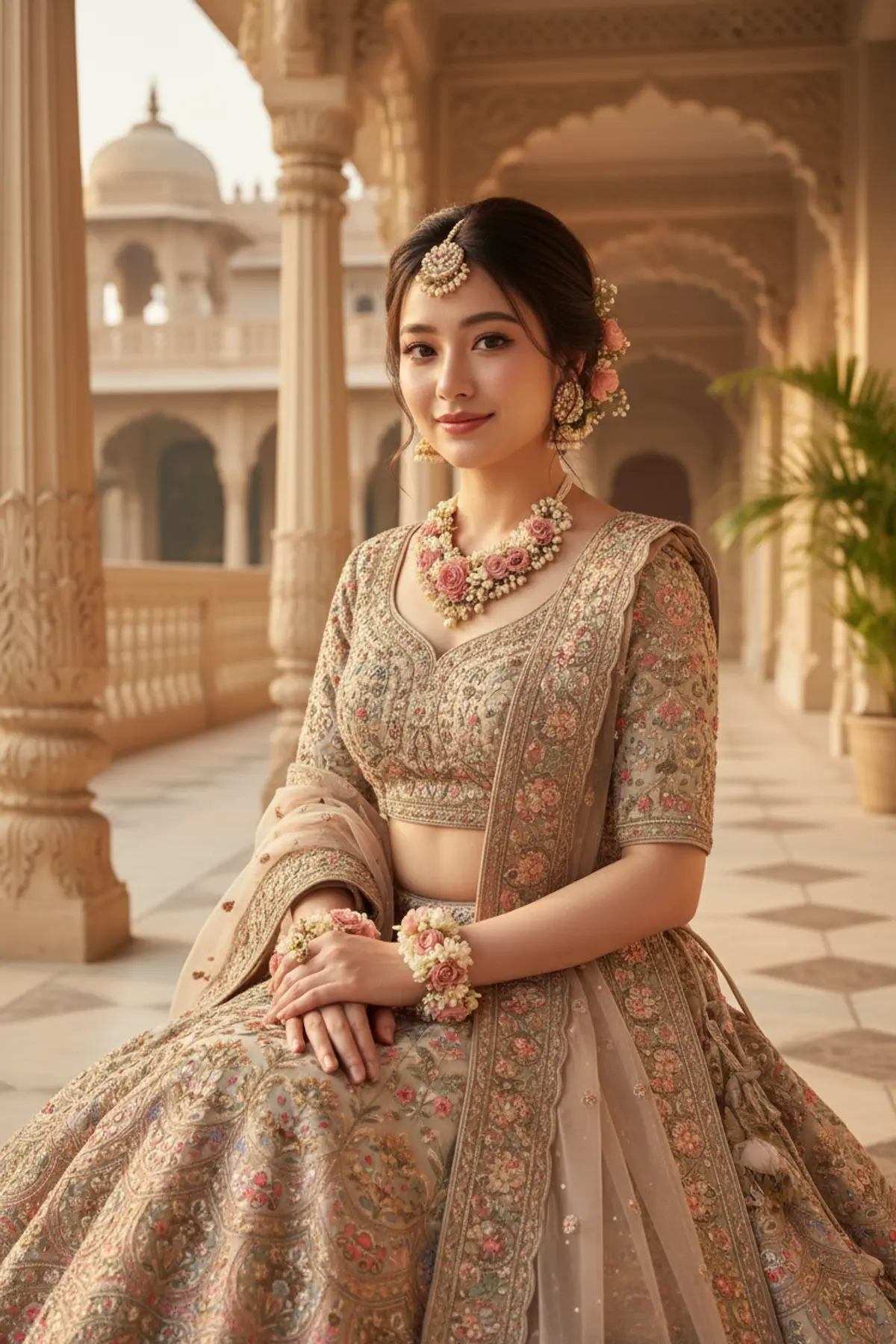

Transformation
Transform any female uploaded photo into the exact traditional beauty, styling, pose, and surroundings of the reference image while preserving only her original facial identity and natural skin tone.
Copy this, then paste it with your photo in Gemini or ChatGPT
ChatGPT opens with your prompt filled in. In Gemini, paste it. Add your photo there and send.ChatGPT opens with your prompt filled in. In Gemini, long-press the box, tap Paste. Add your photo.
Prompt
Needs 1 photo
Use the uploaded female photo as the PRIMARY FACE AND SKIN-TONE REFERENCE. Use the provided reference image as the STRICT VISUAL REFERENCE for everything else. Create an ultra-realistic, photorealistic image that matches the reference image as closely and accurately as possible, while replacing ONLY the woman’s face, facial features, facial identity, and natural skin tone with those from the uploaded female photo. FACE & SKIN — TAKE ONLY FROM THE UPLOADED PHOTO Use the uploaded female photo as the ONLY source for the person's identity. Preserve the uploaded woman's: - Exact recognizable facial identity - Face shape and natural facial proportions - Eyes, eyebrows and eye shape - Nose shape and structure - Lips and mouth shape - Cheek structure - Jawline and chin - Forehead and facial proportions - Natural skin tone - Natural facial texture - Distinctive facial characteristics The resulting woman must clearly look like the woman from the uploaded photo. Do not beautify, redesign, reshape, or reinterpret her face. Do not make her look like the woman in the reference image. Do not blend the two faces. Do not perform a face swap that changes or distorts her identity. Do not make her younger or older. Do not alter her natural facial proportions. EVERYTHING ELSE — COPY FROM THE REFERENCE IMAGE Do NOT change anything else from the reference image. Keep the reference image's: - Exact pose - Exact body position - Exact hand placement - Exact head position and angle - Exact gaze direction - Exact facial expression except for the natural expression characteristics coming from the uploaded face - Exact hairstyle and hair arrangement - Exact hair length and appearance - Exact floral hair decorations - Exact flowers and placement - Exact jewellery - Exact floral necklace - Exact floral earrings - Exact floral wrist accessories - Exact lehenga - Exact blouse - Exact dupatta - Exact embroidery - Exact colors - Exact patterns - Exact fabric textures - Exact clothing details - Exact seating position - Exact architectural surroundings - Exact background - Exact palace/heritage setting - Exact pillars and carved stone details - Exact balcony and distant architecture - Exact flowers and plants - Exact decorative objects - Exact lighting - Exact warm golden-hour atmosphere - Exact shadows and highlights - Exact depth of field - Exact composition - Exact camera perspective - Exact framing - Exact crop - Exact image proportions CRITICAL REPLACEMENT RULE ONLY TWO THINGS may come from the uploaded female photo: 1. Her face and facial identity 2. Her natural skin tone EVERYTHING ELSE must remain visually faithful to the reference image. Do not change the reference woman's outfit, jewellery, hairstyle, flowers, pose, body proportions, environment, architecture, background, lighting, composition, camera angle, framing, or styling. The uploaded photo is NOT a reference for clothing, hairstyle, pose, body, background, lighting, or composition. The reference image is NOT a reference for facial identity. FINAL RESULT The final image should look like the exact same photograph and same woman from the reference composition, with the face and natural skin tone replaced by those of the uploaded female photo, while keeping all other visual details unchanged. Photorealistic, seamless facial integration, realistic skin texture, natural anatomy, accurate lighting interaction, authentic facial proportions, high-detail photography. No visible face-swap artifacts, no distortion, no beautification, no identity mixing, no unnecessary modifications.
How to use this prompt
In Gemini
- Tap Copy prompt, or Open in Gemini, which copies it for you.
- In Gemini, add your photo with the + button.
- Paste the prompt into the message box and send.
In ChatGPT
- Tap Open in ChatGPT: it opens with the prompt filled in (it is copied too, in case you need to paste it).
- Attach your photo with the + button.
- Send, and wait for your picture.
Gemini se kaise banaye: photo upload karo, prompt paste karo, send dabao.
Questions people ask
Is this prompt free?
Yes. Copy it and use it in Gemini, ChatGPT or another AI photo app as often as you like. You don't need a pixkoz account to copy it.
Will it work on my photo?
It works best with a clear, front-facing photo in good light, with the face fully visible. AI results vary from one try to the next: if a detail is off, try again.
Gemini or ChatGPT: which is better for this?
Both can use it. The examples on this page were made with Google: Nano Banana (Gemini 2.5 Flash Image), the model behind Gemini's images, so Gemini comes closest to them; ChatGPT gives its own take on the same prompt.
What happens to my photo?
When you use the prompt in Gemini or ChatGPT, your photo goes to that app, not to pixkoz, and that app's own privacy terms apply.





