Open this in the pixkoz appGet the pixkoz app on Google PlayUse the pixkoz app
OpenGetOpen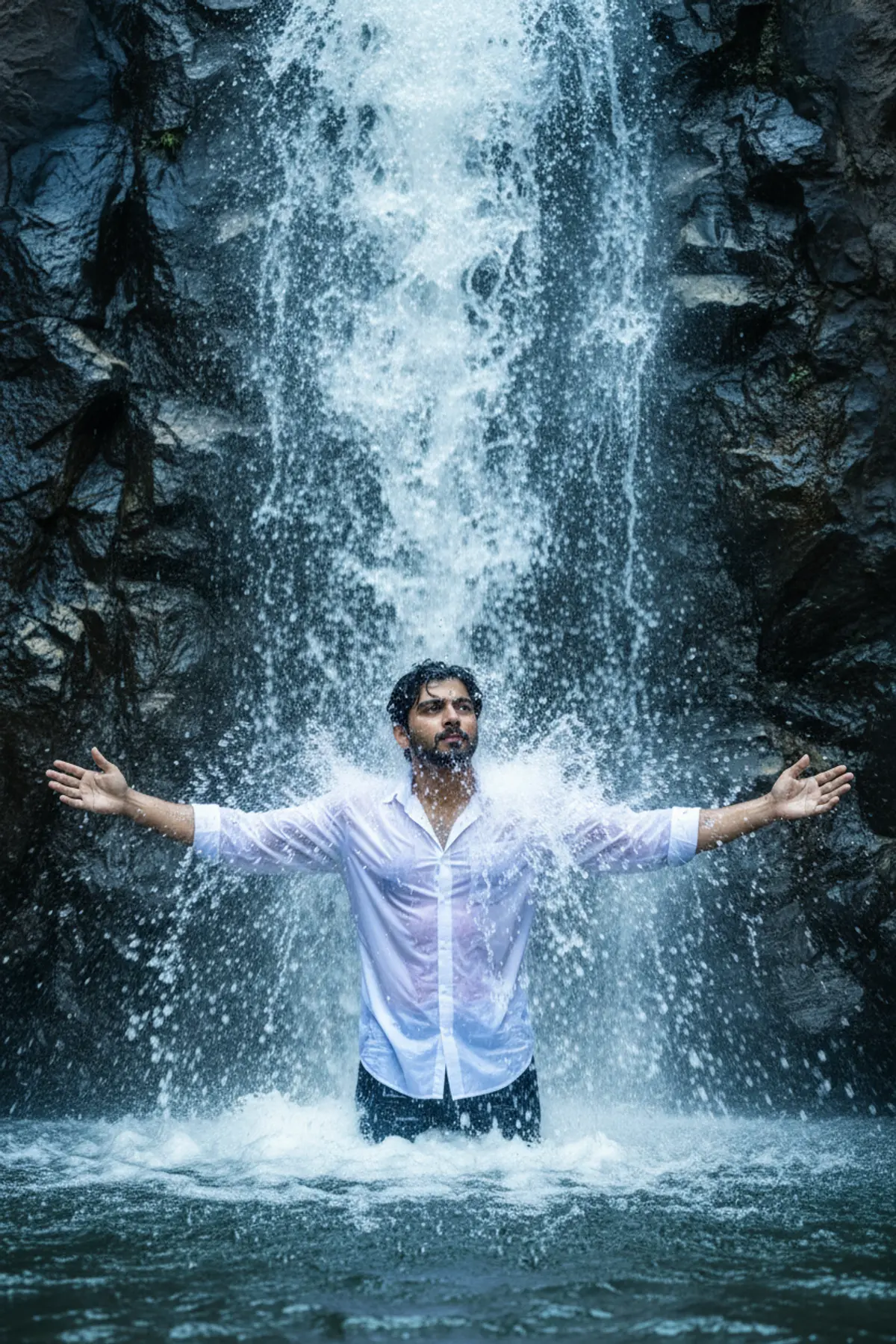

Cinematic Nature Adventure Portrait
A cinematic photorealistic portrait capturing the subject waist-deep beneath a powerful waterfall, blending soaked white fashion, dynamic water motion, misty atmosphere, and cool-toned natural drama.
Copy this, then paste it with your photo in Gemini or ChatGPT
ChatGPT opens with your prompt filled in. In Gemini, paste it. Add your photo there and send.ChatGPT opens with your prompt filled in. In Gemini, long-press the box, tap Paste. Add your photo.
Prompt
Needs 1 photo
Use uploaded image to convert into a high-resolution, cinematic realistic image of the uploaded person standing waist-deep in water directly beneath a wide, powerful waterfall. The water should pour heavily and spread outward, hitting the head, shoulders, and surrounding area, with dynamic splashes and motion. The person's arms are spread wide open at shoulder height, palms slightly tilted up, as if embracing the waterfall. He should have a cool, relaxed, looking slightly to the side confident and connected to nature. Outfit:A vibrant white stylish shirt with light patterns. The shirt is soaked, slightly unbuttoned at the top of two buttons, clinging naturally with shine and wet folds. The waterfall is wide and thick, with heavy flowing water. The person is partially submerged in water, with visible mist, motion, and splashes. BG dark textured rocks with cool bluish toneUse soft natural daylight mixed with cinematic contrast. Background is cool-toned (blue/gray slight glow or reflection
How to use this prompt
In Gemini
- Tap Copy prompt, or Open in Gemini, which copies it for you.
- In Gemini, add your photo with the + button.
- Paste the prompt into the message box and send.
In ChatGPT
- Tap Open in ChatGPT: it opens with the prompt filled in (it is copied too, in case you need to paste it).
- Attach your photo with the + button.
- Send, and wait for your picture.
Gemini se kaise banaye: photo upload karo, prompt paste karo, send dabao.
Questions people ask
Is this prompt free?
Yes. Copy it and use it in Gemini, ChatGPT or another AI photo app as often as you like. You don't need a pixkoz account to copy it.
Will it work on my photo?
It works best with a clear, front-facing photo in good light, with the face fully visible. AI results vary from one try to the next: if a detail is off, try again.
Gemini or ChatGPT: which is better for this?
Both can use it. The examples on this page were made with Google: Nano Banana (Gemini 2.5 Flash Image), the model behind Gemini's images, so Gemini comes closest to them; ChatGPT gives its own take on the same prompt.
What happens to my photo?
When you use the prompt in Gemini or ChatGPT, your photo goes to that app, not to pixkoz, and that app's own privacy terms apply.





