Open this in the pixkoz appGet the pixkoz app on Google PlayUse the pixkoz app
OpenGetOpen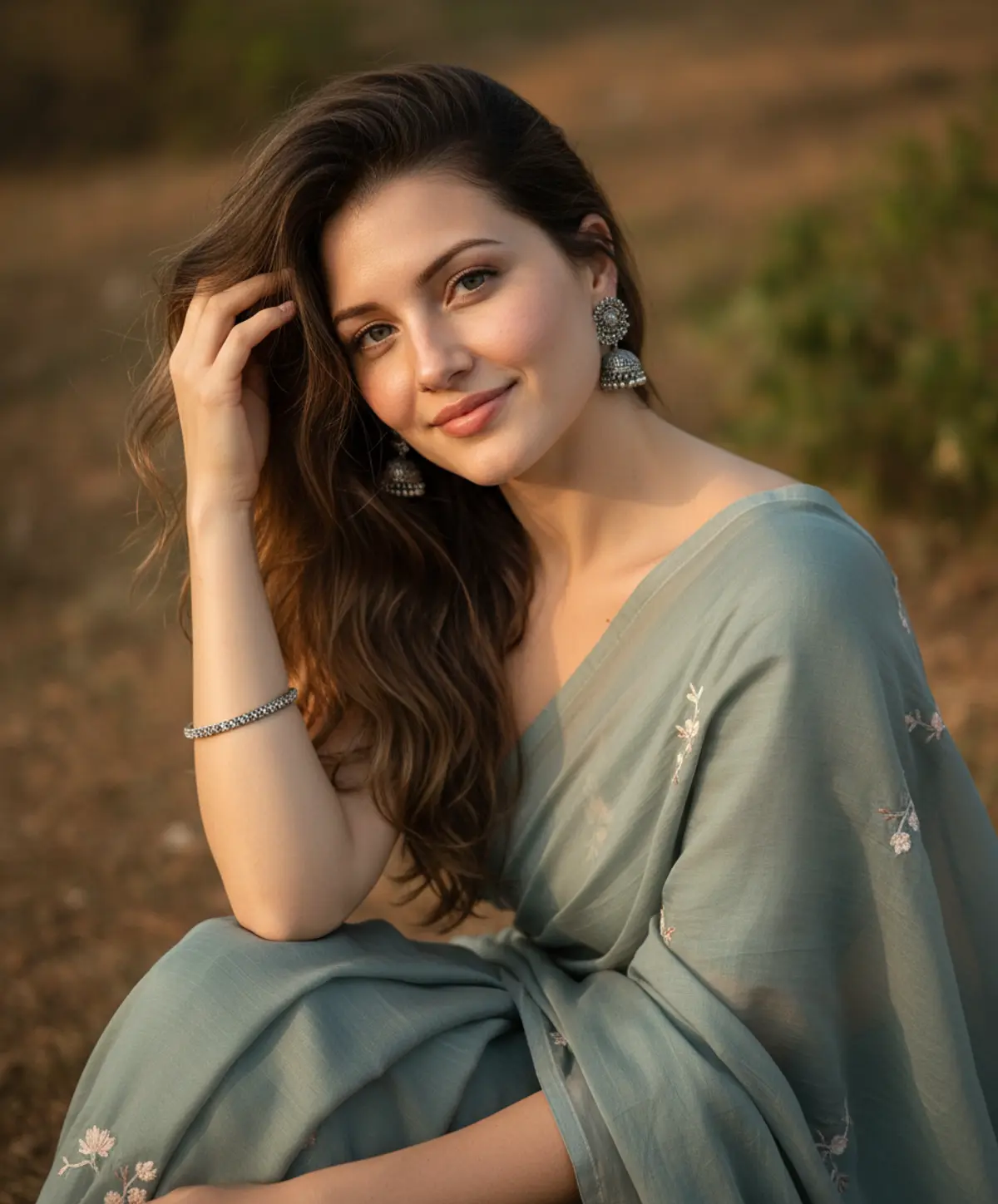
Sage Serenity
A graceful cinematic portrait preserving the subject’s recognizable identity while showcasing a muted sage-blue saree, silver jewelry, soft golden-hour light, and dreamy natural bokeh.
Copy this, then paste it with your photo in Gemini or ChatGPT
ChatGPT opens with your prompt filled in. In Gemini, paste it. Add your photo there and send.ChatGPT opens with your prompt filled in. In Gemini, long-press the box, tap Paste. Add your photo.
Prompt
Needs 1 photo
> Create an ultra-realistic, high-resolution outdoor portrait based closely on the uploaded reference image. Use the uploaded reference image as the ONLY and EXCLUSIVE source for the subject’s facial identity and facial appearance. The uploaded photo is the definitive identity reference and must be followed with maximum possible identity fidelity. Preserve the subject’s exact recognizable facial appearance from the uploaded reference, including exact facial structure and proportions, face shape, forehead, hairline, eyebrows, eyes, eye shape and spacing, nose shape and proportions, lips and mouth shape, cheekbones, jawline, chin, ears, skin tone, natural facial asymmetry, distinctive facial characteristics, apparent age, and authentic facial details. Preserve the subject as the same recognizable person shown in the uploaded reference image. Do not reinterpret, redesign, substitute, blend, genericize, beautify, or generate a different face. The uploaded photo must control the facial identity in the final image rather than serving merely as general inspiration. Do not reshape, beautify, age, de-age, redesign, slim, enlarge, reduce, symmetrize, or otherwise modify the face. Do not replace the face with an AI-generated face or another person's facial features. Preserve authentic natural skin texture, pores, subtle imperfections, and individual facial characteristics from the reference. Identity consistency requirement: The generated face must remain unmistakably the same person as the uploaded reference image while naturally adapting to the requested pose, expression, camera angle, lighting, and photographic conditions. Maintain identity even with the slightly high-angle composition, direct camera gaze, gentle smile, and hand positioned near the hair. If any conflict occurs between generating a new facial appearance and preserving the uploaded identity, always prioritize the uploaded facial identity from the reference image. The uploaded reference image controls ONLY the subject’s facial identity and recognizable facial appearance. Every other visual element must remain exactly as specified in the original prompt below. Do not change the hairstyle, clothing, pose, expression, accessories, environment, lighting, camera, color grading, photography style, composition, or any other detail of the original prompt. Hair & appearance: Long, naturally wavy dark-brown hair, softly tousled by a light breeze, with a few loose strands naturally falling across the face. Traditional ornate silver jhumka earrings and a thin silver bangle. Minimal natural makeup with realistic skin texture. Pose & expression: Vertical portrait, slightly high-angle composition. The subject is seated outdoors, looking directly toward the camera with a gentle, warm smile. Her right hand is naturally raised near her ear, lightly touching her hair. Relaxed, graceful posture. Outfit: Elegant muted sage-blue/grey traditional saree with delicate floral embroidery and a lightweight translucent drape. Tasteful, fully covered styling with realistic fabric folds and fine textile detail. Lighting & background: Warm golden-hour sunlight falling softly across the face and hair, creating delicate highlights and natural shadows. Neutral earthy outdoor background rendered with a creamy shallow-depth-of-field blur. Photography: Premium editorial portrait photography, photorealistic skin texture, individual hair strands, realistic eyes, natural facial details, soft cinematic bokeh, 85mm portrait lens, high dynamic range, warm natural color grading, subtle film-like atmosphere, 4K detail. Negative prompt: changed identity, altered facial proportions, distorted face, plastic skin, excessive makeup, over-smoothed skin, unrealistic eyes, malformed hands, extra fingers, distorted jewelry, unnatural anatomy, blurry face, low resolution, cartoon, anime, CGI, oversaturated colors, harsh artificial lighting. FINAL IDENTITY VERIFICATION: Before rendering, verify that the face matches the uploaded reference image in facial structure, proportions, eyes, eyebrows, nose, lips, cheeks, jawline, chin, ears, skin tone, natural asymmetry, apparent age, and distinctive facial characteristics. The result must depict the same recognizable individual from the uploaded reference image, not a similar-looking or newly generated person. DO NOT CHANGE ANY OTHER DETAIL OF THE ORIGINAL PROMPT.
How to use this prompt
In Gemini
- Tap Copy prompt, or Open in Gemini, which copies it for you.
- In Gemini, add your photo with the + button.
- Paste the prompt into the message box and send.
In ChatGPT
- Tap Open in ChatGPT: it opens with the prompt filled in (it is copied too, in case you need to paste it).
- Attach your photo with the + button.
- Send, and wait for your picture.
Gemini se kaise banaye: photo upload karo, prompt paste karo, send dabao.
Questions people ask
Is this prompt free?
Yes. Copy it and use it in Gemini, ChatGPT or another AI photo app as often as you like. You don't need a pixkoz account to copy it.
Will it work on my photo?
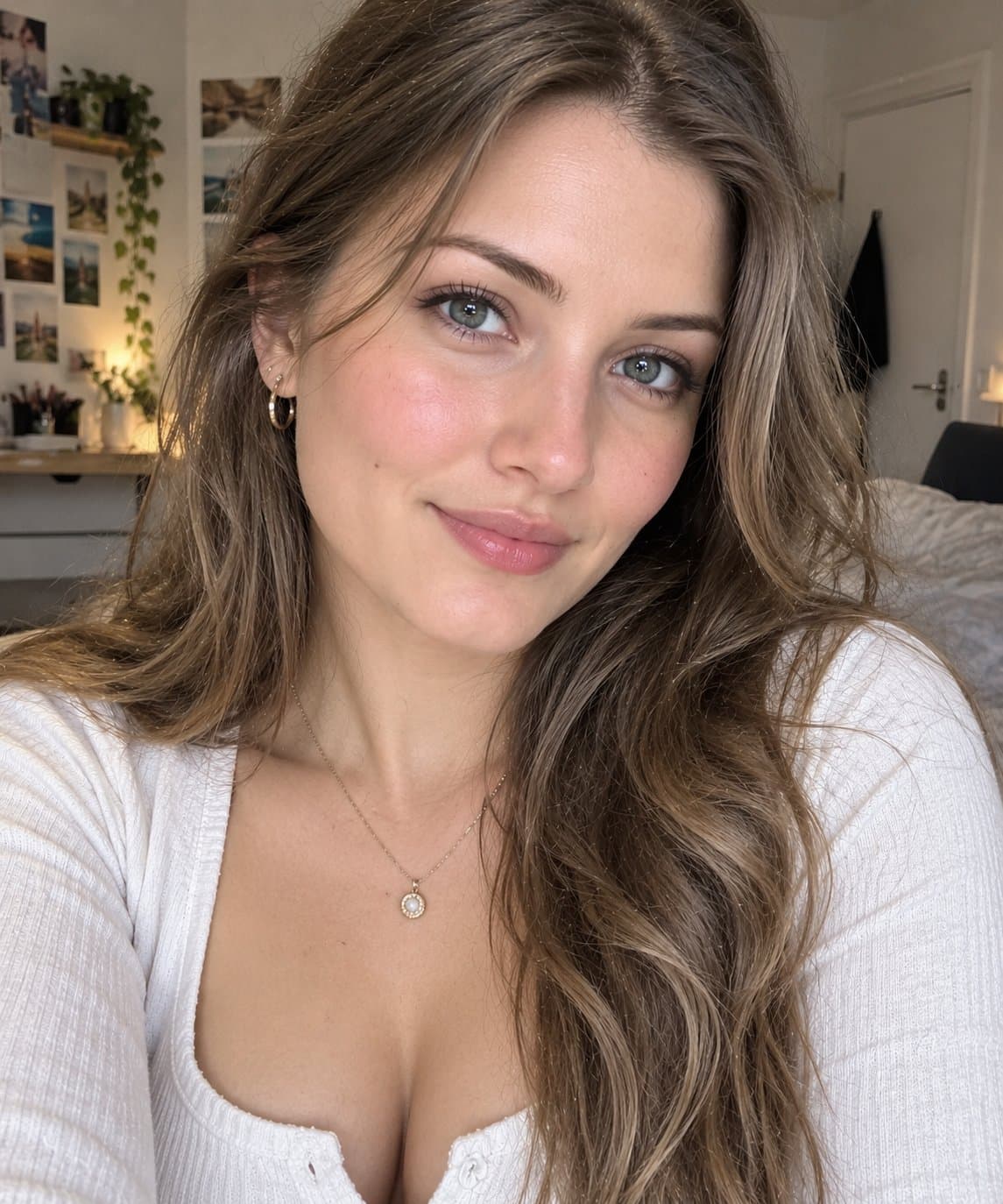
It works best with a clear, front-facing photo in good light, with the face fully visible. AI results vary from one try to the next: if a detail is off, try again.
Gemini or ChatGPT: which is better for this?
Both can use it. The examples on this page were made with Google: Nano Banana (Gemini 2.5 Flash Image), the model behind Gemini's images, so Gemini comes closest to them; ChatGPT gives its own take on the same prompt.
What happens to my photo?
When you use the prompt in Gemini or ChatGPT, your photo goes to that app, not to pixkoz, and that app's own privacy terms apply.