Open this in the pixkoz appGet the pixkoz app on Google PlayUse the pixkoz app
OpenGetOpen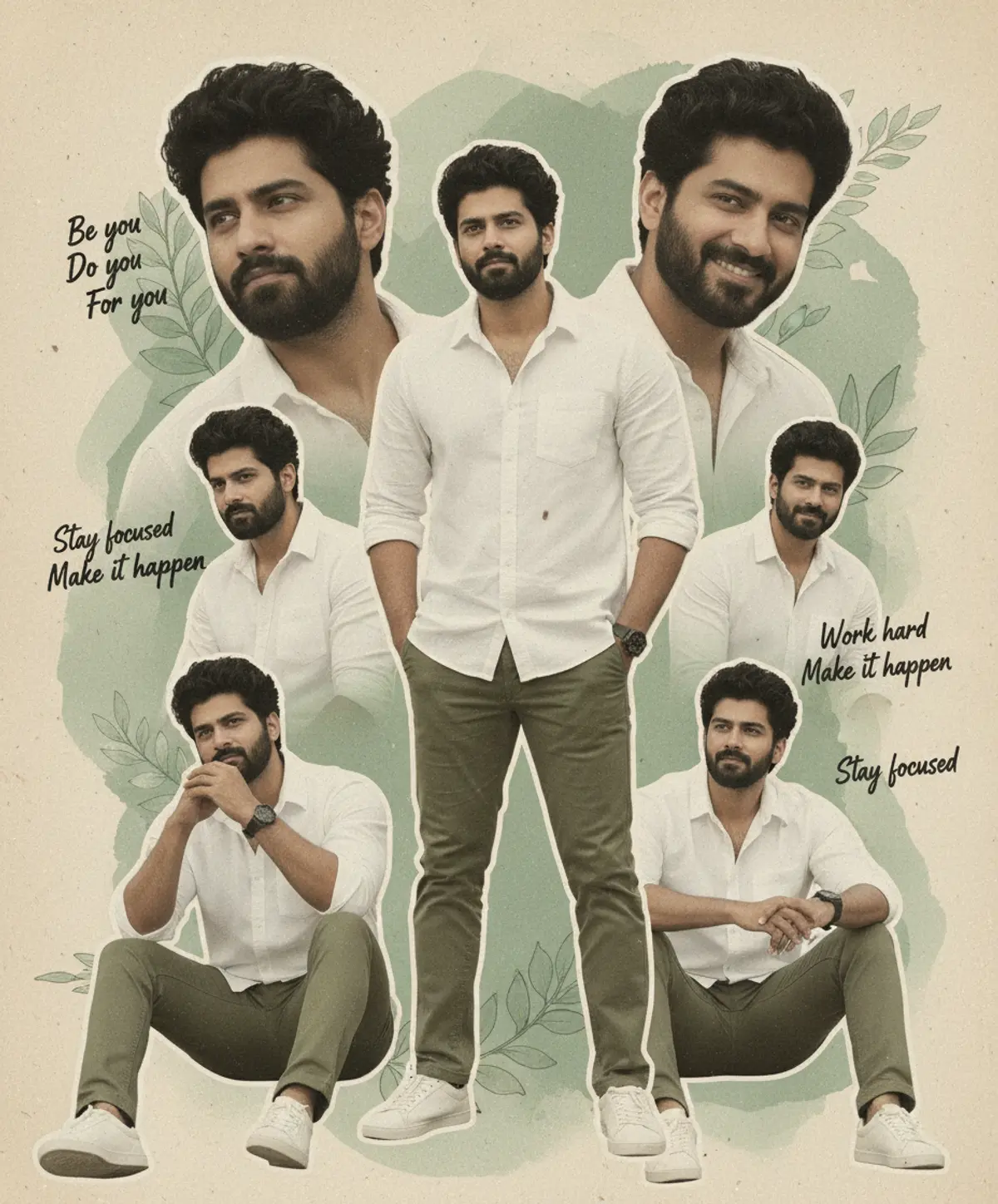
Vintage Inspirational Man Collage
A stylish mixed-media editorial collage blending multiple confident portraits with earthy scrapbook textures, sage watercolor botanicals, vintage typography, and an inspirational journal aesthetic.
Copy this, then paste it with your photo in Gemini or ChatGPT
ChatGPT opens with your prompt filled in. In Gemini, paste it. Add your photo there and send.ChatGPT opens with your prompt filled in. In Gemini, long-press the box, tap Paste. Add your photo.
Prompt
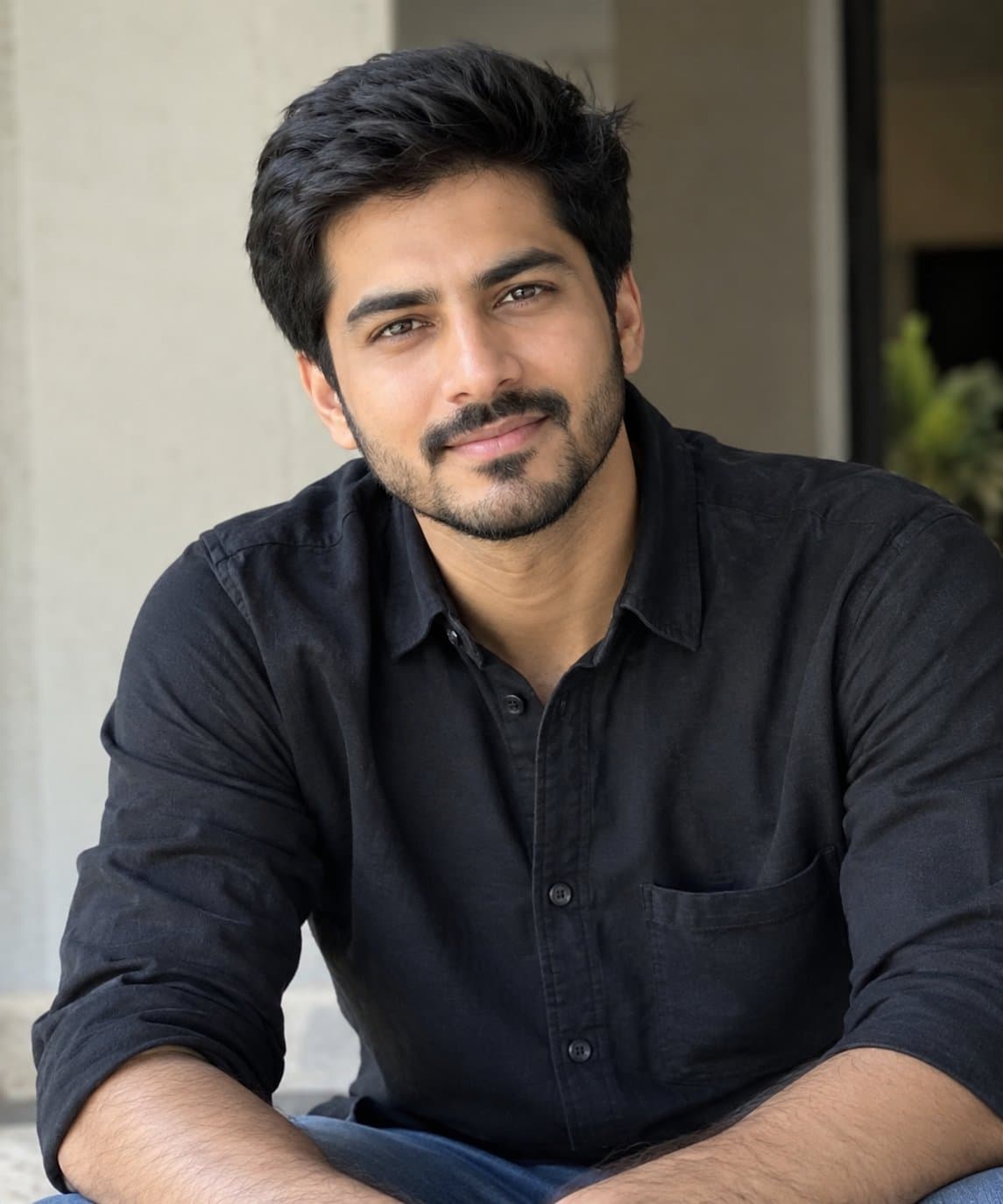
Needs 1 photo
Create image 9:16, Use reference IMG { "category": "graphic_design", "category_reasoning": "The image is a digital mixed-media collage compositing multiple cutouts of a subject onto a textured, illustrative background with typography.", "adaptable": "subject", "subject": "Multiple composited shots of a man in various poses including standing, sitting, and profile views", "subject_details": "Adult male, dark curly high-volume hair, full dark beard, casual white button-down shirt, olive green chinos, white sneakers, dark wristwatch", "setting": "Abstract digital canvas", "setting_details": "Textured paper background, sage green watercolor washes, botanical leaf illustrations, black cursive handwriting overlays reading 'Be you Do you For you' and 'Stay focused Work hard Make it happen'", "composition": "Collage framing, flat depth, central full-body anchor surrounded by scaled-up busts and seated figures, balanced asymmetrical layout, negative space filled with texture and text", "camera": "Multiple medium and full shots composited, flat 2D perspective, inferred 50mm-85mm portrait compression on individual cutouts", "lighting": "Soft, diffused studio lighting on subjects, even illumination, low contrast, soft shadows, no distinct directional key light across the overall composition", "color_grade": "Desaturated, warm-earthy, sepia-toned, matte", "color_palette": "Olive green, warm off-white, sepia, charcoal black", "style": "Scrapbook aesthetic, mixed media collage, editorial poster design, vintage journal", "mood": "Contemplative, inspirational, relaxed", "textures_materials": "Rough paper grain, watercolor stains, cotton fabric folds, matte skin", "post_processing": "Heavy digital compositing, masking, artificial paper grain overlay, soft edge blending, text insertion", "recreation_prompt": "graphic design poster, mixed media collage, 5 images of the same man arranged organically, man with dark curly hair and full beard wearing a white button-down shirt and olive green pants, central full-body standing pose with hands in pockets, surrounded by bust and seated variations, vintage textured paper background, sage green watercolor splotches, painted green leaves, cursive handwritten text overlays reading 'Be you Do you For you' and 'Stay focused Work hard Make it happen', flat composition, soft diffused studio lighting, earthy desaturated color grade, sepia tone, matte shadows, scrapbook style, artificial paper grain overlay", "adaptation_prompt": "graphic design poster, mixed media collage, 5 images of the same subject arranged organically, [YOUR SUBJECT — describe yourself: appearance, outfit, pose], central full-body standing pose, surrounded by bust and seated variations, vintage textured paper background, sage green watercolor splotches, painted green leaves, cursive handwritten text overlays reading 'Be you Do you For you' and 'Stay focused Work hard Make it happen', flat composition, soft diffused studio lighting, earthy desaturated color grade, sepia tone, matte shadows, scrapbook style, artificial paper grain overlay", "negative_prompt": "3d render, photorealistic environment, heavy shadows, high contrast, bright saturated colors, bad anatomy, missing limbs, misspelled text, cluttered composition, harsh lighting", "color_science": "Warm paper-tone highlights, desaturated earthy greens, warm skin preservation, low-contrast midtones, matte blacks", "filter_name": "Vintage Scrapbook Collage", "filter_description": "Digital mixed-media style with coarse paper texture overlays, low saturation, watercolor brush masks, and lifted matte blacks", "white_balance": "Warm", "color_temperature": "Warm-tungsten", "tone_curve": "Lifted blacks, lowered highlights, linear midtones", "dynamic_range": "Standard dynamic range compressed into a low-contrast matte finish", "highlight_rendering": "Soft, diffused, tint-shifted towards cream/sepia", "shadow_rendering": "Lifted, faded charcoal, matte", "camera_rendering": "Digital portrait photography heavily processed into a 2D graphic", "lens_rendering": "Moderate portrait compression, no visible edge distortion", "noise_profile": "Uniform artificial noise simulating physical media", "grain_profile": "Coarse paper texture overlay", "sharpness_profile": "Moderate sharpness on the subjects, soft blended edges", "retouching_analysis": "Subjects isolated via clipping masks, evened skin tones, composited over 2D background layers", "portrait_analysis": "Multiple angles including strict left profile, direct engagement bust, relaxed seated smile, pensive hand-on-chin, and confident standing", "facial_expression": "Varies between contemplative, neutral, and a slight natural smile", "micro_expression": "Relaxed jaw, natural eye openness, relaxed brows", "skin_rendering": "Matte, even, smoothed for commercial presentation", "hair_rendering": "Textured, high-volume, dark matte finish", "lighting_analysis": "Broad softboxes, diffused lighting, low shadow density", "visual_style_analysis": "Mixed media digital collage, inspirational poster, editorial lifestyle layout" }
Part of: AI photo prompts for boys
How to use this prompt
In Gemini
- Tap Copy prompt, or Open in Gemini, which copies it for you.
- In Gemini, add your photo with the + button.
- Paste the prompt into the message box and send.
In ChatGPT
- Tap Open in ChatGPT: it opens with the prompt filled in (it is copied too, in case you need to paste it).
- Attach your photo with the + button.
- Send, and wait for your picture.
Gemini se kaise banaye: photo upload karo, prompt paste karo, send dabao.
Questions people ask
Is this prompt free?
Yes. Copy it and use it in Gemini, ChatGPT or another AI photo app as often as you like. You don't need a pixkoz account to copy it.
Will it work on my photo?
It works best with a clear, front-facing photo in good light, with the face fully visible. AI results vary from one try to the next: if a detail is off, try again.
Gemini or ChatGPT: which is better for this?
Both can use it. The examples on this page were made with Google: Nano Banana (Gemini 2.5 Flash Image), the model behind Gemini's images, so Gemini comes closest to them; ChatGPT gives its own take on the same prompt.
What happens to my photo?
When you use the prompt in Gemini or ChatGPT, your photo goes to that app, not to pixkoz, and that app's own privacy terms apply.





