Open this in the pixkoz appGet the pixkoz app on Google PlayUse the pixkoz app
OpenGetOpen
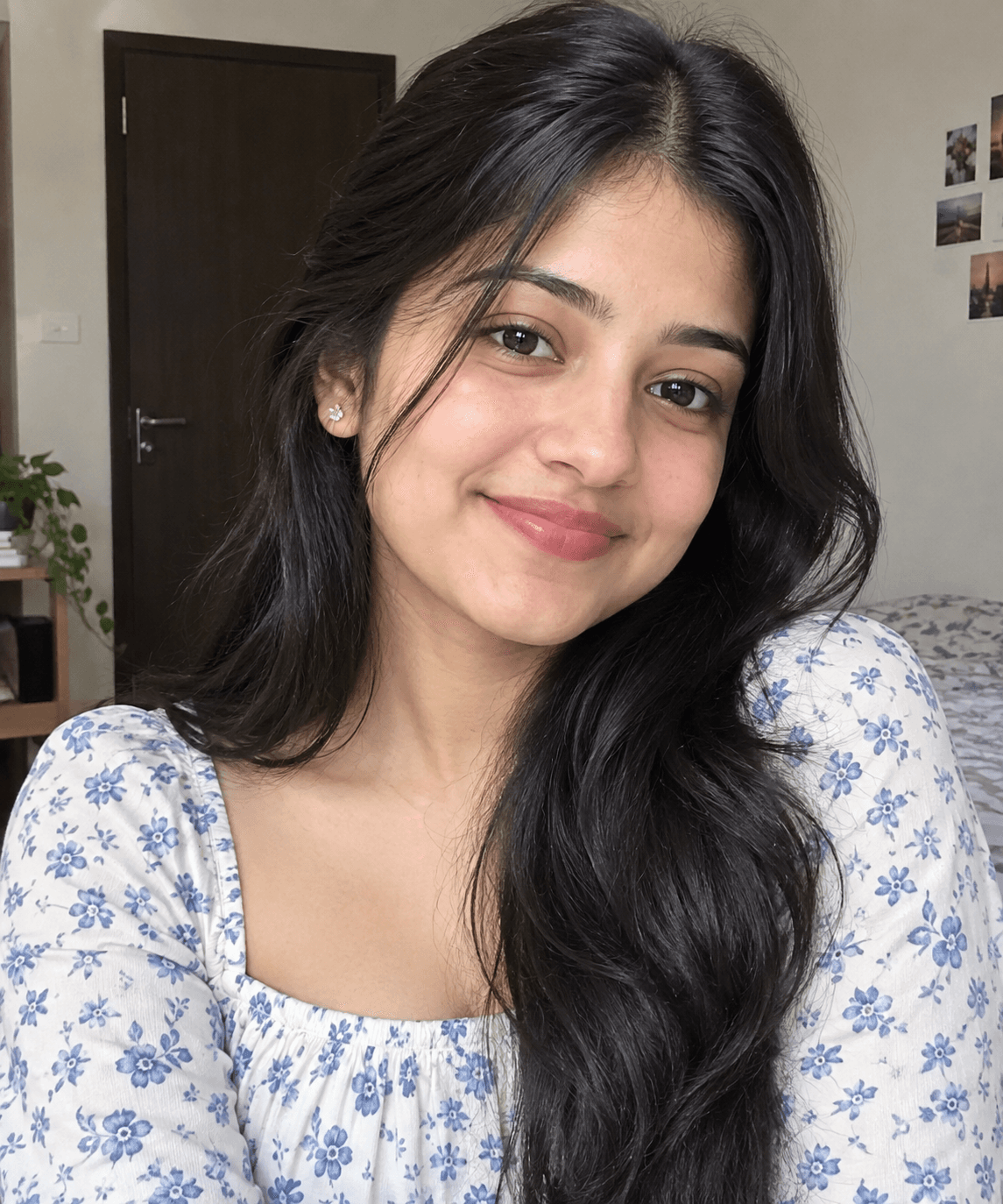
✨ Emerald & Pink Gujarati Garba Night
A stunning cinematic Navratri portrait featuring traditional Gujarati chaniya choli, vibrant mirror work, silver jewelry, festive lights, and a dreamy Garba-night atmosphere. 💚💖
Copy this, then paste it with your photo in Gemini or ChatGPT
ChatGPT opens with your prompt filled in. In Gemini, paste it. Add your photo there and send.ChatGPT opens with your prompt filled in. In Gemini, long-press the box, tap Paste. Add your photo.
Prompt
Needs 1 photo
Use my uploaded photo as the ONLY identity reference. Preserve my exact facial identity, facial structure, skin tone, natural features, and realistic skin texture. Do not copy the original pose, clothing, or background. Create a cinematic Gujarati Garba-night fashion portrait with a completely different pose. She is standing at a slight three-quarter angle, with her body turned sideways while her face turns toward the camera. One hand gracefully lifts the dupatta near her shoulder, while the other rests naturally near her waist. Give her a subtle joyful expression, as if enjoying the Navratri celebration. Dress her in a deep emerald-green and hot-pink traditional chaniya choli, heavily decorated with colorful mirror work, geometric Gujarati embroidery, tiny tassels, and gold gota-patti borders. Add a flowing embroidered dupatta over one shoulder. Style her with oxidized silver jewelry including a broad choker, long pendant necklace, oversized jhumkas, stacked bangles, and a delicate maang tikka. Long dark hair flowing naturally over one shoulder with a few loose strands framing her face. Place her in a vibrant nighttime Garba celebration, surrounded by colorful drapes, strings of fairy lights, glowing lanterns, festive decorations, and softly blurred people dancing in the background. Warm cinematic lighting, golden highlights, realistic fabric texture, natural skin, shallow depth of field, professional DSLR photography, ultra-realistic, 3:4 vertical ratio.
How to use this prompt
In Gemini
- Tap Copy prompt, or Open in Gemini, which copies it for you.
- In Gemini, add your photo with the + button.
- Paste the prompt into the message box and send.
In ChatGPT
- Tap Open in ChatGPT: it opens with the prompt filled in (it is copied too, in case you need to paste it).
- Attach your photo with the + button.
- Send, and wait for your picture.
Gemini se kaise banaye: photo upload karo, prompt paste karo, send dabao.
Questions people ask
Is this prompt free?
Yes. Copy it and use it in Gemini, ChatGPT or another AI photo app as often as you like. You don't need a pixkoz account to copy it.
Will it work on my photo?
It works best with a clear, front-facing photo in good light, with the face fully visible. AI results vary from one try to the next: if a detail is off, try again.
Gemini or ChatGPT: which is better for this?
Both can use it. The examples on this page were made with Google: Nano Banana (Gemini 2.5 Flash Image), the model behind Gemini's images, so Gemini comes closest to them; ChatGPT gives its own take on the same prompt.
What happens to my photo?
When you use the prompt in Gemini or ChatGPT, your photo goes to that app, not to pixkoz, and that app's own privacy terms apply.