Open this in the pixkoz appGet the pixkoz app on Google PlayUse the pixkoz app
OpenGetOpen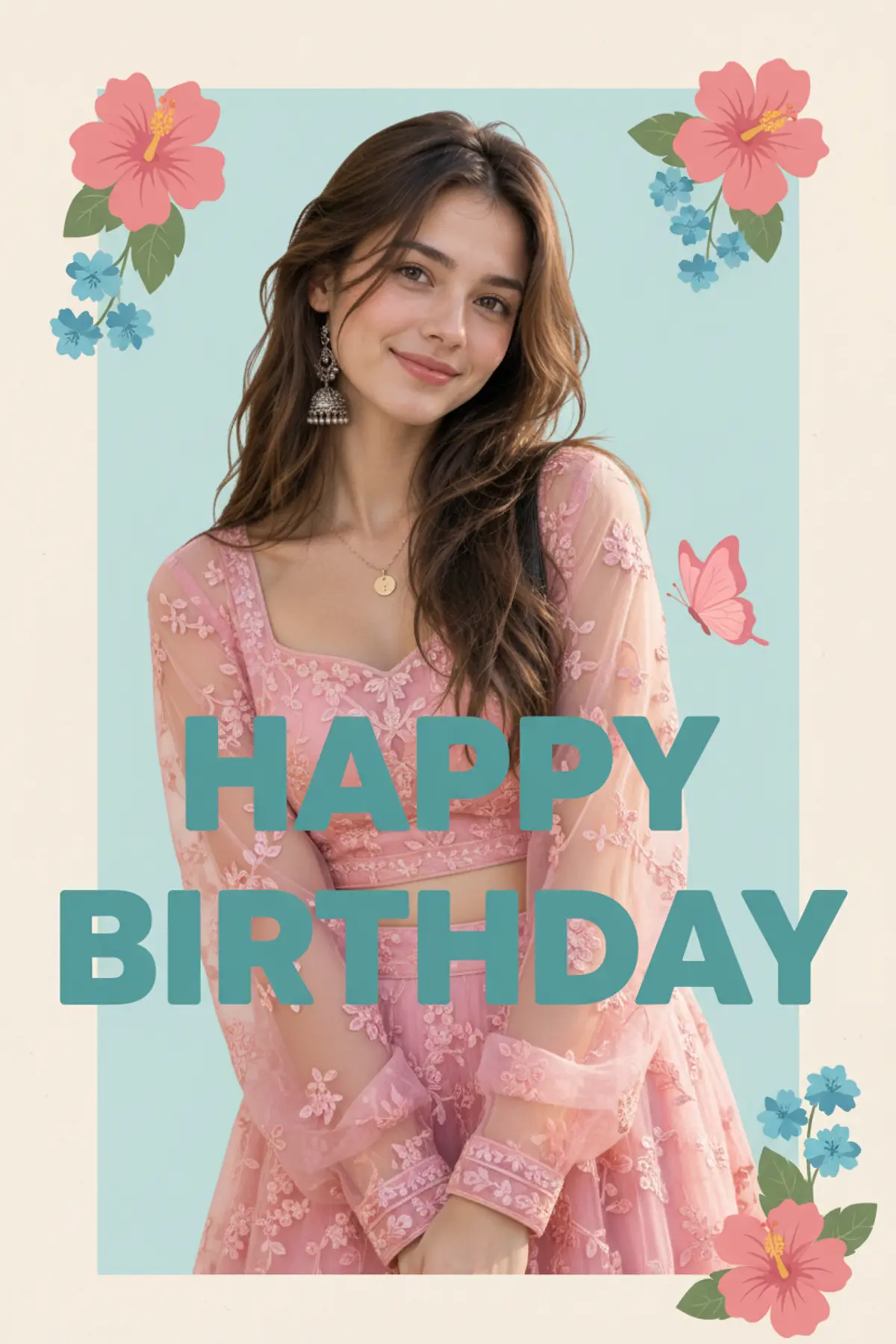
Pastel Birthday Bloom
A sweet pastel birthday poster featuring a smiling young woman in a pink embroidered outfit, surrounded by elegant florals, butterflies, and cheerful typography.
Copy this, then paste it with your photo in Gemini or ChatGPT
ChatGPT opens with your prompt filled in. In Gemini, paste it. Add your photo there and send.ChatGPT opens with your prompt filled in. In Gemini, long-press the box, tap Paste. Add your photo.
Prompt
Needs 1 photo
Create image 9:16, Use reference IMG{ "category": "graphic_design", "category_reasoning": "This is a composite digital poster combining a portrait with typography and illustrations.", "adaptable": "subject", "subject": "Young woman posing against a digitally composited birthday graphic", "subject_details": "Late teens/early 20s, long dark hair, gentle smile, wearing a pink sheer embroidered outfit with silver jhumkas", "setting": "Digital graphic layout", "setting_details": "Cream and pastel blue background, large teal 'HAPPY BIRTHDAY' text, pink hibiscus, blue flowers, pink butterfly", "composition": "Medium close-up, subject centered at bottom overlapping text, flat digital depth", "camera": "Portrait perspective, medium lens, sharp subject against flat 2D background", "lighting": "Soft diffused frontal daylight on subject, flat graphic lighting", "color_grade": "Pastel and muted", "color_palette": "Pale pink, teal, cream, skin tones", "style": "Social media greeting card, mixed media digital collage", "mood": "Sweet, celebratory", "textures_materials": "Sheer fabric, smooth skin, matte paper-like background", "post_processing": "Digital compositing, heavy skin smoothing, clean masking", "recreation_prompt": "Digital birthday poster, young woman with long dark hair in pink embroidered outfit, silver jhumkas, cream and pastel blue background, large teal HAPPY BIRTHDAY text, pink hibiscus, blue flowers, pink butterfly, soft daylight, pastel palette", "adaptation_prompt": "Digital birthday poster, [YOUR SUBJECT], cream and pastel blue background, large teal HAPPY BIRTHDAY text, pink hibiscus, blue flowers, pink butterfly, soft daylight, pastel palette", "negative_prompt": "Harsh shadows, real environment, messy text, 3D render", "color_science": "Soft pastel daylight bias, lifted blacks, low saturation", "filter_name": "Pastel Composite", "filter_description": "Lifted shadows, pastel tint, softened background", "white_balance": "Neutral", "color_temperature": "Neutral-warm on skin, cool on graphics", "tone_curve": "Low contrast, lifted shadows", "dynamic_range": "Low, graphic compression", "highlight_rendering": "Soft, flat", "shadow_rendering": "Very light, low density", "camera_rendering": "Digital composite", "lens_rendering": "Normal field of view on subject", "noise_profile": "Clean, zero noise", "grain_profile": "No grain", "sharpness_profile": "Sharp subject, soft illustrative elements", "retouching_analysis": "Flawless skin smoothing, perfect cutout", "portrait_analysis": "Direct gaze, relaxed expression, slight smile, symmetrical", "facial_expression": "Gentle soft smile", "micro_expression": "Relaxed eyes", "skin_rendering": "Hyper-smooth, matte", "hair_rendering": "Detailed strands, soft edges", "lighting_analysis": "Soft front-diffused lighting", "visual_style_analysis": "Digital collage greeting" }
How to use this prompt
In Gemini
- Tap Copy prompt, or Open in Gemini, which copies it for you.
- In Gemini, add your photo with the + button.
- Paste the prompt into the message box and send.
In ChatGPT
- Tap Open in ChatGPT: it opens with the prompt filled in (it is copied too, in case you need to paste it).
- Attach your photo with the + button.
- Send, and wait for your picture.
Gemini se kaise banaye: photo upload karo, prompt paste karo, send dabao.
Questions people ask
Is this prompt free?
Yes. Copy it and use it in Gemini, ChatGPT or another AI photo app as often as you like. You don't need a pixkoz account to copy it.
Will it work on my photo?
It works best with a clear, front-facing photo in good light, with the face fully visible. AI results vary from one try to the next: if a detail is off, try again.
Gemini or ChatGPT: which is better for this?
Both can use it. The examples on this page were made with Google: Nano Banana (Gemini 2.5 Flash Image), the model behind Gemini's images, so Gemini comes closest to them; ChatGPT gives its own take on the same prompt.
What happens to my photo?
When you use the prompt in Gemini or ChatGPT, your photo goes to that app, not to pixkoz, and that app's own privacy terms apply.