Open this in the pixkoz appGet the pixkoz app on Google PlayUse the pixkoz app
OpenGetOpen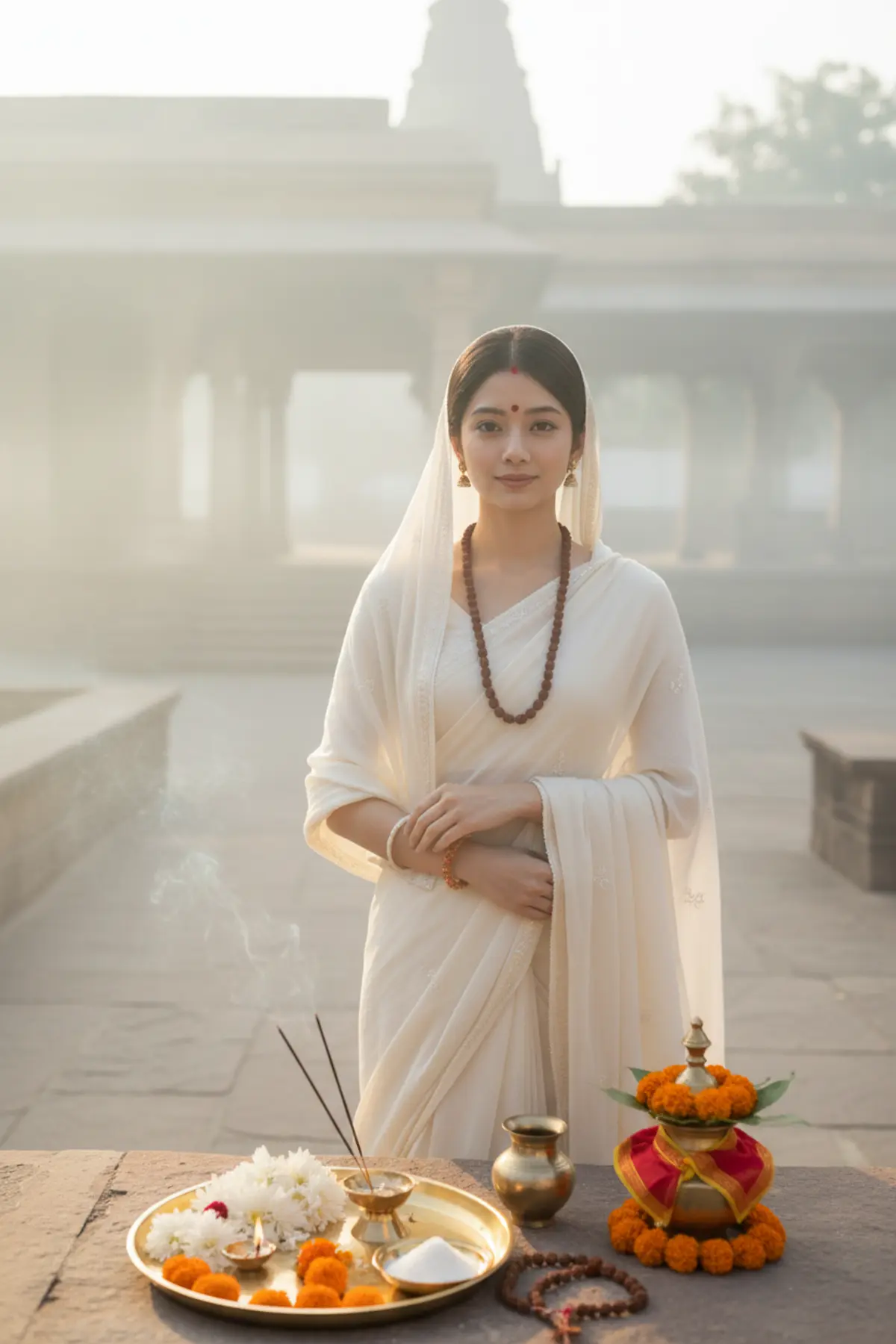

Maa Brahmacharini — Day 2 Navratri Look
Celebrate Navratri with a serene, cinematic portrait inspired by Maa Brahmacharini, capturing devotion, tapasya, purity, and spiritual strength in elegant ivory-white traditional attire against a sacred temple courtyard at dawn.
Copy this, then paste it with your photo in Gemini or ChatGPT
ChatGPT opens with your prompt filled in. In Gemini, paste it. Add your photo there and send.ChatGPT opens with your prompt filled in. In Gemini, long-press the box, tap Paste. Add your photo.
Prompt
Needs 1 photo
Create an authentic cinematic Navratri portrait inspired specifically by Maa Brahmacharini, representing devotion, tapasya, patience and spiritual discipline. Dress the person in a simple ivory-white traditional saree or white Gujarati-inspired outfit with minimal embroidery, a soft white dupatta and subtle rudraksha-inspired detailing rather than a glamorous fashion look. Style her with a rudraksha mala, simple earrings, minimal bangles, a small red bindi and understated devotional makeup, with softly lined eyes and naturally glowing skin. Place her in a serene ancient Indian temple courtyard at dawn, surrounded by stone steps, flowering trees, small diyas and soft morning mist. In front of her, create a clearly visible Navratri puja thali containing flowers, incense, diya and sugar bhog, with a traditional kamandalu and rudraksha mala placed prominently as symbolic elements. Add a small kalash, marigold flowers and sacred red/yellow cloth to establish the Navratri ritual setting. Show her in a calm walking or standing pose with a peaceful expression, as though engaged in spiritual tapasya rather than a fashion shoot. Use predominantly white, cream, soft gold and muted saffron tones, gentle sunrise rays, subtle incense smoke and quiet cinematic atmosphere. The image should immediately communicate Brahmacharini, austerity, devotion and Navratri puja. Preserve the exact facial identity, facial structure, skin tone, age, and natural features of the person from the reference image.
How to use this prompt
In Gemini
- Tap Copy prompt, or Open in Gemini, which copies it for you.
- In Gemini, add your photo with the + button.
- Paste the prompt into the message box and send.
In ChatGPT
- Tap Open in ChatGPT: it opens with the prompt filled in (it is copied too, in case you need to paste it).
- Attach your photo with the + button.
- Send, and wait for your picture.
Gemini se kaise banaye: photo upload karo, prompt paste karo, send dabao.
Questions people ask
Is this prompt free?
Yes. Copy it and use it in Gemini, ChatGPT or another AI photo app as often as you like. You don't need a pixkoz account to copy it.
Will it work on my photo?
It works best with a clear, front-facing photo in good light, with the face fully visible. AI results vary from one try to the next: if a detail is off, try again.
Gemini or ChatGPT: which is better for this?
Both can use it. The examples on this page were made with Google: Nano Banana (Gemini 2.5 Flash Image), the model behind Gemini's images, so Gemini comes closest to them; ChatGPT gives its own take on the same prompt.
What happens to my photo?
When you use the prompt in Gemini or ChatGPT, your photo goes to that app, not to pixkoz, and that app's own privacy terms apply.





