Open this in the pixkoz appGet the pixkoz app on Google PlayUse the pixkoz app
OpenGetOpen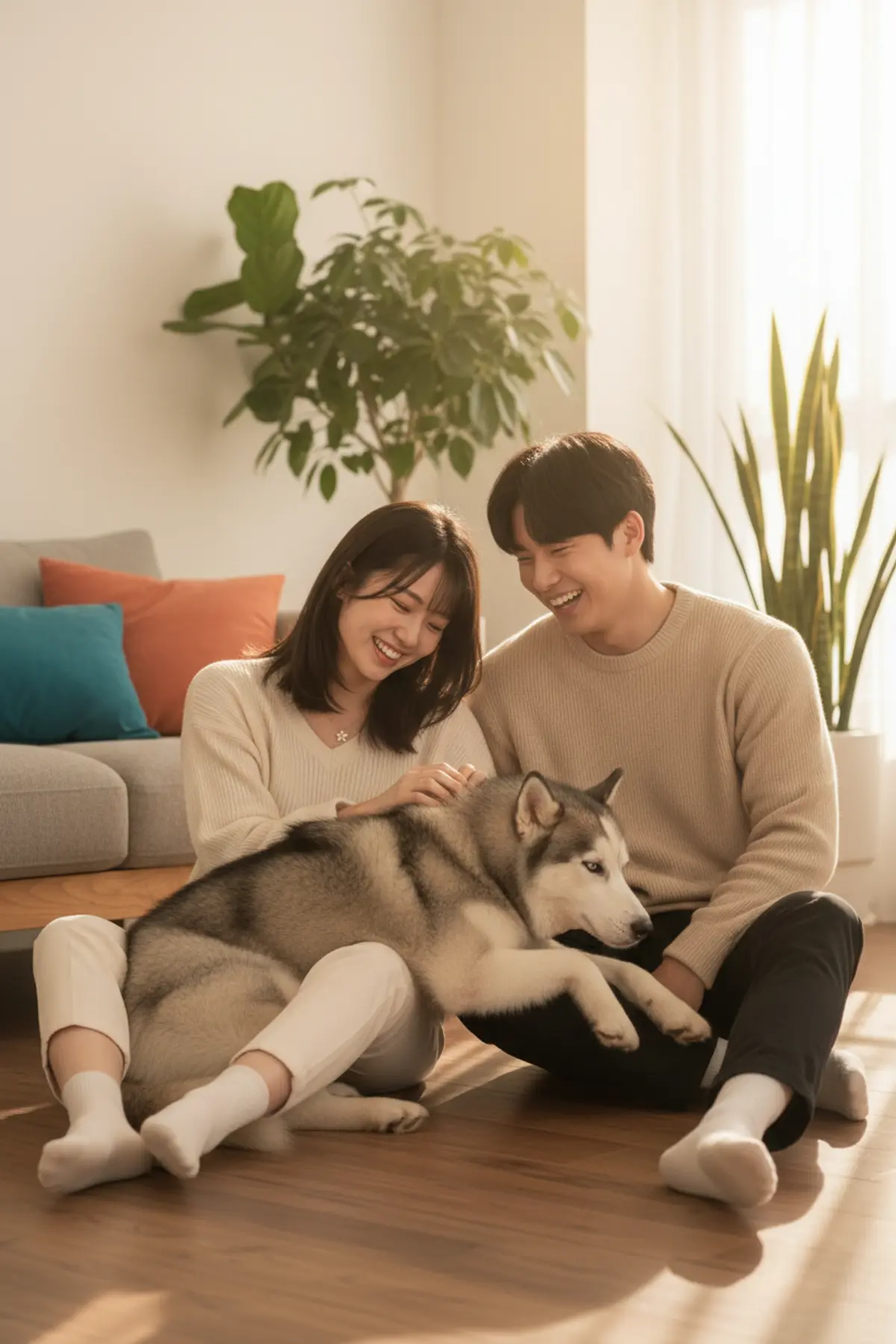


Cozy Home Couple with Husky
A warm, candid couple photo at home: the two of you relaxing on a wooden floor with a fluffy husky in soft window sunlight.
Copy this, then paste it with your photo in Gemini or ChatGPT
ChatGPT opens with your prompt filled in. In Gemini, paste it. Add your photos there and send.ChatGPT opens with your prompt filled in. In Gemini, long-press the box, tap Paste. Add your photos.
Prompt
Needs 2 photos
Use the couple in the uploaded photos (one photo for each person). Keep both faces exactly as in their photos: same facial features, face shape, skin tone, hairstyle and hair colour for each person. Do not beautify, swap or change their ages; natural skin texture. Both must be instantly recognisable. Scene: a bright, cosy living room with a warm wooden floor, a low sofa behind them, a few plants and soft cushions. Pose: the couple sits close together on the floor, leaning on each other and laughing softly, while a fluffy grey-and-white husky lies across their laps, one of them stroking its head. Outfit: relaxed home clothes — soft knit sweaters in cream and oatmeal tones, comfortable trousers, bare feet or socks. Light and camera: golden afternoon sunlight streaming through a large window, gentle light rays and warm highlights on hair and fur, eye-level 35mm lens, medium-wide framing, shallow depth of field. Mood: intimate, happy, candid lifestyle photo. Photorealistic, no text, no watermark.
Part of: Couple AI photo prompts
How to use this prompt
In Gemini
- Tap Copy prompt, or Open in Gemini, which copies it for you.
- In Gemini, add all 2 photos with the + button.
- Paste the prompt into the message box and send.
In ChatGPT
- Tap Open in ChatGPT: it opens with the prompt filled in (it is copied too, in case you need to paste it).
- Attach your 2 photos with the + button.
- Send, and wait for your picture.
Gemini se kaise banaye: photo upload karo, prompt paste karo, send dabao.
Questions people ask
Is this prompt free?
Yes. Copy it and use it in Gemini, ChatGPT or another AI photo app as often as you like. You don't need a pixkoz account to copy it.
Will it work on my photo?
It works best with a clear, front-facing photo in good light, with the face fully visible. This look uses 2 photos: add all of them. AI results vary from one try to the next: if a detail is off, try again.
Gemini or ChatGPT: which is better for this?
Both can use it. The examples on this page were made with Google: Nano Banana (Gemini 2.5 Flash Image), the model behind Gemini's images, so Gemini comes closest to them; ChatGPT gives its own take on the same prompt.
What happens to my photo?
When you use the prompt in Gemini or ChatGPT, your photo goes to that app, not to pixkoz, and that app's own privacy terms apply.